

Have you ever tapped a link on your phone, only to spend ten frustrating seconds zooming in and dragging the screen sideways just to read a single sentence? Most people tap the back button immediately when that happens. Without adapting to mobile browsing habits, businesses tend to repel potential customers and lose valuable sales every day. Partnering with a specialized responsive website design company can change how your business converts everyday visitors into active clients across every screen size. Why Mobile-Friendly Layouts Drive Real Business Results If you check your site analytics right now, more than half of your traffic likely arrives on a phone or tablet. When pages break on smaller displays, you are quietly pushing prospective buyers directly to your competitors. With the growing reliance on mobile devices for browsing, mobile-friendly websites deliver a great user experience because they adjust layout structures, touch targets, and typography dynamically. Strategic design partners like Spinutech understand that responsive design goes far beyond shrinking desktop graphics. It requires rebuilding interactive flows for natural thumb placement and quick interaction. Consider a local home services business owner named Dave. Dave spent thousands on a beautiful desktop site a few years ago. It featured large banner images, detailed top navigation menus, and side contact forms. But when homeowners searched for emergency repairs on mobile devices, Dave’s site loaded incorrectly. The call button was shifted off screen. Visitors left immediately and called another contractor. A single layout flaw cost Dave tens of thousands in lost calls. What a Responsive Website Design Company Actually Does When you hire a responsive website design company, you pay for strategic user experience decisions rather than basic template tweaks. Professional teams use proven methodologies to ensure your website looks, feels, and functions next to perfect on any device it encounters. Specialized agencies use specific research tools to observe how real users interact with pages. For example, teams at Halo Lab utilize design software like Figma, InVision, Usability Tools, and Hotjar to study heatmaps before writing code. Front-end developers work on implementing visual elements, while back-end developers create structural frameworks that manage data securely and respect privacy standards. Here are key focus areas that dedicated web design teams handle: ● Device-agnostic design layouts that adjust smoothly across phones, tablets, and wide monitors. ● Front-end development prioritizing rapid load times and clean mobile navigation. ● Strategic page structures optimized specifically for target audience conversions. ● Alignment with local search visibility and modern discovery engines. Agency vs Freelancer: Choosing the Right Setup Freelancing is becoming a huge part of modern web development. Hiring an independent designer can work for quick fixes, but established companies often require multi-disciplinary expertise. Regional agencies like Trajectory Web Design focus on specific markets like B2B companies and nonprofits in Atlanta, giving clients targeted market insight. Other providers like UX 4Sight focus deeply on user research and conversion strategy. Option Typical Scope Best Suited For Freelance Developer Single-page builds, template edits, light maintenance Tight budgets, straightforward informational sites Full-Service Agency In-depth UX research, custom coding, long-term optimization Growth-focused businesses, complex digital platforms Realistic Design Costs and Budget Investment How much does modern web development actually cost? Total pricing depends heavily on page volume, required backend features, and agency rates. For simple updates on basic business sites, costs might land between $180 and $780. However, custom redesigns built by dedicated agencies usually start around $5,000 for standard business sites and can top $250,000 for complex enterprise platforms. Hiring a professional team saves time and money over the long term. Fixing broken layouts and retrofitting mobile code after launch almost always costs double compared to getting it built correctly from day one. Selecting the Right Agency Partner Choosing a design partner requires a clear, structured evaluation. Look closely at portfolio examples to confirm they understand your target market and business goals. Ask prospective partners how they test layouts across physical hardware. Established firms like Third Wave Digital prioritize custom mobile solutions that maintain consistent performance across all platforms. Finding the right responsive website design company comes down to picking a team that values open communication, bases design choices on actual user research, and aligns with your long-term growth objectives.

Choosing a Website Design and Development Agency: What to Expect
Have you ever spent three weekends straight trying to tweak a web template, only to realize your checkout form breaks on mobile devices? Building a digital presence can quickly spiral into a headache if you try to manage every technical detail alone. That is usually when business owners realize they need a professional website design and development agency to take over and build something that actually converts visitors into paying customers. What an Agency Actually Brings to the Table When everything clicks, great things happen for your brand online. A dedicated website team typically focuses on user experience, visual identity, and your overall design system. They do not just pick accent colors; they build a coherent digital system that guides your visitors naturally. For example, your company logo design serves as a significant foundation for your branding. Everything else, from button styles to typography choices, builds upward from that visual baseline. Beyond aesthetics, professional web development services cover a wide mix of technical and non-technical tasks: ✔Website Design and Layout

Why Most Websites Fail: The Truth About Website Design And Development Services
Have you ever spent weeks tweaking a homepage layout, picking out color palettes, and refining fonts, only to hit publish and hear absolute crickets? It happens far more often than you think. Building a site that actually converts casual visitors into paying customers requires much more than just an attractive concept. That is where comprehensive website design and development services come into play to turn a static digital brochure into an active growth channel. A lot of business owners assume building a site is mostly an artistic project. You pick a clean template, paste in your sales copy, add a contact form, and launch. But behind every site that ranks high on search engines and consistently generates leads sits a quiet architecture of technical strategy, information planning, and performance optimization. What Professional Web Development Actually Covers A complete agency engagement moves far beyond visual aesthetics. When you look at what a full website project lifecycle involves, it covers structured phases designed to prevent messy rebuilds down the road: ✔ Discovery and Information Architecture: Mapping out how pages connect and establishing clear user journeys before writing a line of code. ✔ User Interface and Experience (UX/UI): Crafting layouts focused specifically on usability, visitor retention, and responsive touch controls. ✔ Front-End and Back-End Coding: Turning static visual ideas into fast, clean code with custom database structures and software integrations. ✔ Accessibility and Validation: Meeting legal ADA standards and optimizing load times so search engines do not penalize your business. When these technical components fit together properly, the end result is a tailored system built specifically around your actual business goals and audience needs. DIY Builders vs. Custom Development Does every business need to spend thousands on tailored code? Not necessarily. Small side projects or early startups with minimal budgets usually start with standard builders like Wix or Squarespace. However, growing companies hit technical ceilings with DIY tools quickly. Detailed comparisons on DIY builders versus custom development show that DIY platforms restrict your control over underlying server files. This limits how fast your pages load, restricts custom URL structures, and caps how deeply you can integrate third-party platforms. Decision Factor DIY Website Builders Custom Development Upfront Cost Low ($15 to $50 / month) Higher ($3,950 to $20,000+) Design Control Restricted to prebuilt templates Fully tailored to brand voice SEO Flexibility Basic page fields only Full control over speed & code Long-Term Growth Bounded by vendor platform Unlimited technical flexibility While tier-based packages often start around $3,950 for structured company sites, high-end builds scale based on functional demands like custom user accounts, complex databases, or unique checkout systems. A Real-World Example: The Hidden Cost of DIY Consider a regional commercial supplier that relied on a basic prebuilt website template for years. As their inventory grew from 30 products to over 400, their page load speeds plummeted. Mobile visitors had to wait nearly six seconds for product graphics to appear, leading to high drop-off rates. Because the template locked away core performance settings, their team could not compress server scripts or optimize database queries. They were losing thousands in monthly orders simply because their software platform could not handle their growth. By hiring professional website design and development services, they rebuilt their online store on a modern back-end framework. Page load times dropped to under one second, mobile sales rose by 40% within three months, and search engine visibility expanded significantly. Key Trends Shaping Digital Projects in 2026 Web standards shift quickly, and staying relevant requires aligning your online presence with updated user habits. Here are the core focus areas driving web development today: 1. AI-Driven Interactions Modern visitors expect instant, relevant answer pathways. Developers are building dynamic search tools and contextual AI assistance directly into site architecture to guide buyers smoothly. 2. Smartphone-First Layouts Designing for desktop displays first and shrinking things down for mobile devices later is an outdated strategy. Modern layouts are planned for phone screens first, guaranteeing clean touch interactions across all devices. 3. Native ADA Accessibility Accessibility is no longer an afterthought. Modern builds integrate proper color contrast, keyboard navigation, and screen-reader tags from day one, opening your business to all audiences while avoiding legal risk. Choosing the Right Development Partner Selecting a web team comes down to looking beyond impressive design samples. Ask prospective agencies how they approach technical SEO, speed testing, and long-term security maintenance after launch. Look for specialists who cover the entire lifecycle, from strategy to technical validation. Great design grabs immediate attention, but reliable underlying code turns casual visitors into permanent customers.

How to Choose the Right Web Development Agency in Dubai
If you have ever tried building a website for a business in the UAE, you know how confusing the pricing and options can be. Finding the right web development agency in dubai often feels overwhelming when quotes range anywhere from AED 1,000 to well over AED 250,000. Why does one agency charge the price of a small car while another asks for the price of a luxury apartment? The difference usually comes down to strategy, tech stack, and what happens after the site goes live. A cheap site might look fine on day one, but it breaks the moment your traffic scales or you need custom software integrations. Dubai is a fast-moving market where digital presence acts as your primary storefront. Customers expect rapid loading speeds, clean interfaces, and instant mobile responsiveness. If your website takes more than three seconds to load, visitors bounce directly to your competitors. Understanding Web Development Costs in Dubai Let us break down the actual numbers so you know what to expect when requesting proposals. Prices in the UAE market usually fall into a few distinct tiers depending on scope and security demands. Project Scope Estimated Cost (AED) Best Suited For Basic Template Site AED 1,000 – 3,000 Simple landing pages or micro-businesses Standard Corporate Site AED 8,000 – 30,000 Growing SMBs needing customized layouts Advanced Web Build AED 30,000 – 60,000 E-commerce stores and custom web platforms Enterprise & Compliance Systems AED 60,000 – 250,000+ SaaS portals, KYC dashboards, ISO-certified builds If you only need a basic page with your address and working hours, spending AED 3,000 might work fine. But if you need client portals, payment gateways, or custom databases, expect to invest in mid-range or enterprise tiers. Industry data shows that most established businesses end up spending between AED 30,000 and AED 60,000 to get a solid custom build. In-House Developer vs Partnering with an Agency Should you hire a full-time programmer or work with an external team? Many business owners think hiring in-house gives them better control. However, the costs add up quickly once you factor in visa fees, office space, and benefits. Data from job boards like Glassdoor shows that a single developer in the region commands an average annual salary around $16,333 (approx. AED 60,000). And that is just for one mid-level programmer. You still need a designer, a tester, and a project manager to get quality work done. When you partner with an experienced web development agency in dubai, you get a full team for a fixed project fee. Here are a few clear advantages of going the agency route:

Demystifying Data Text Html Charset Utf 8 Base64 in Web Browsers
Have you ever clicked a link on your phone or looked at a weird web address and seen a long string starting with data text html charset utf 8 base64? It looks like a corrupted link or a glitch, but it is actually a valid web standard designed to deliver content directly inside your browser. Instead of pointing to a remote file hosted on an external server, this structure packs the entire file content into the link itself. It allows your browser to open a complete HTML page without making a single extra network request. To understand why this happens and how it works, we need to break down each piece of the structure. It might look confusing at first glance, but the logic behind it is actually quite elegant. Breaking Down the Data URI Structure A standard URL tells your browser where to go to download a resource. A Data URI, on the other hand, gives the browser the resource immediately inline. You can read more about how schemes work on MDN Web Docs. When you see a string like data text html charset utf 8 base64 in your address bar or code editor, it is made up of five distinct parts working together: • data: Scheme header telling the browser to parse inline data instead of making a network request. • text/html: The MIME type specifying that the content should be rendered as an HTML document. • charset=utf-8: Defines Unicode Transformation Format-8 as the character encoding method for special text symbols. • base64: Indicates that the raw data following the comma is encoded using 64 ASCII characters. • Payload: The actual text or binary content converted into encoded text format. Each section acts as an instruction manual for the browser engine. The MIME type handles interpretation, while the charset ensures non-English characters or symbols display correctly without rendering broken text. What Base64 Encoding Actually Does Many people mistake Base64 for encryption or security. In reality, it is simply a binary-to-text encoding mechanism. It takes raw binary data or text formatted with various character sets and translates it into standard printable characters. Why is this necessary? Web protocols were originally built primarily to transmit clean ASCII text. Raw binary data like images or complex formatted HTML files can contain characters that break network protocols or web forms. By translating content into basic characters, developers can embed graphics, fonts, or interactive markup directly into HTML or CSS files. You can read more about encoding techniques on DebugBear’s Base64 Guide. However, there is a tradeoff. Base64 encoding generally increases file sizes by roughly 33 percent compared to raw binary storage. It saves HTTP roundtrips, but it increases the raw byte weight of your document. Real World Scenario: Mobile Spreadsheet Errors Imagine you are trying to open a shared spreadsheet from an email attachment on your Android phone or tablet. Instead of opening your office application, your browser suddenly displays an error page containing a string starting with data text html charset utf 8 base64 in the address bar. What happened here? The email app or file manager tried to open an export preview by converting the document structure directly into an inline HTML page using a Data URI scheme. When mobile browsers face file path handoff issues or restricted storage permissions, they often fallback to rendering the rendered view using this inline method. If the string gets truncated by a length limit, the browser fails to render it and dumps the raw protocol string on screen. Comparing Data URIs and Standard Resources To understand when developers use inline data structures versus traditional host links, let us look at how they differ across key operational metrics. Feature Standard Resource URL Data URI (Base64) Source Origin Remote web server Embedded in source code HTTP Requests Requires 1 separate fetch 0 extra requests Payload Overhead Original binary size ~33% larger file size Browser Caching Cached individually Cached with parent document While avoiding network roundtrips sounds like a great performance win, inflating parent documents with huge Base64 strings can slow down initial parsing. Modern web design favors using this approach mainly for tiny icons, CSS assets, or temporary dynamic views. Security Implications and Best Practices Is encountering these encoded strings a security threat? Not necessarily, but cybersecurity experts closely monitor how Base64 is used on the web. Because the content is converted into encoded text, attackers sometimes attempt to obfuscate malicious scripts to bypass basic filter checks. Allowing arbitrary embedded HTML payloads can create cross-site scripting vulnerabilities if user inputs are improperly encoded or executed within a privileged application context. Modern browsers and web security policies have strict constraints on Data URIs. Many modern security headers explicitly block top-level navigation to data scheme pages to protect users from phishing tricks. Next time you see a long scrambled link starting with data scheme headers, you can rest easy knowing it is simply your browser handling inline content formatting behind the scenes.
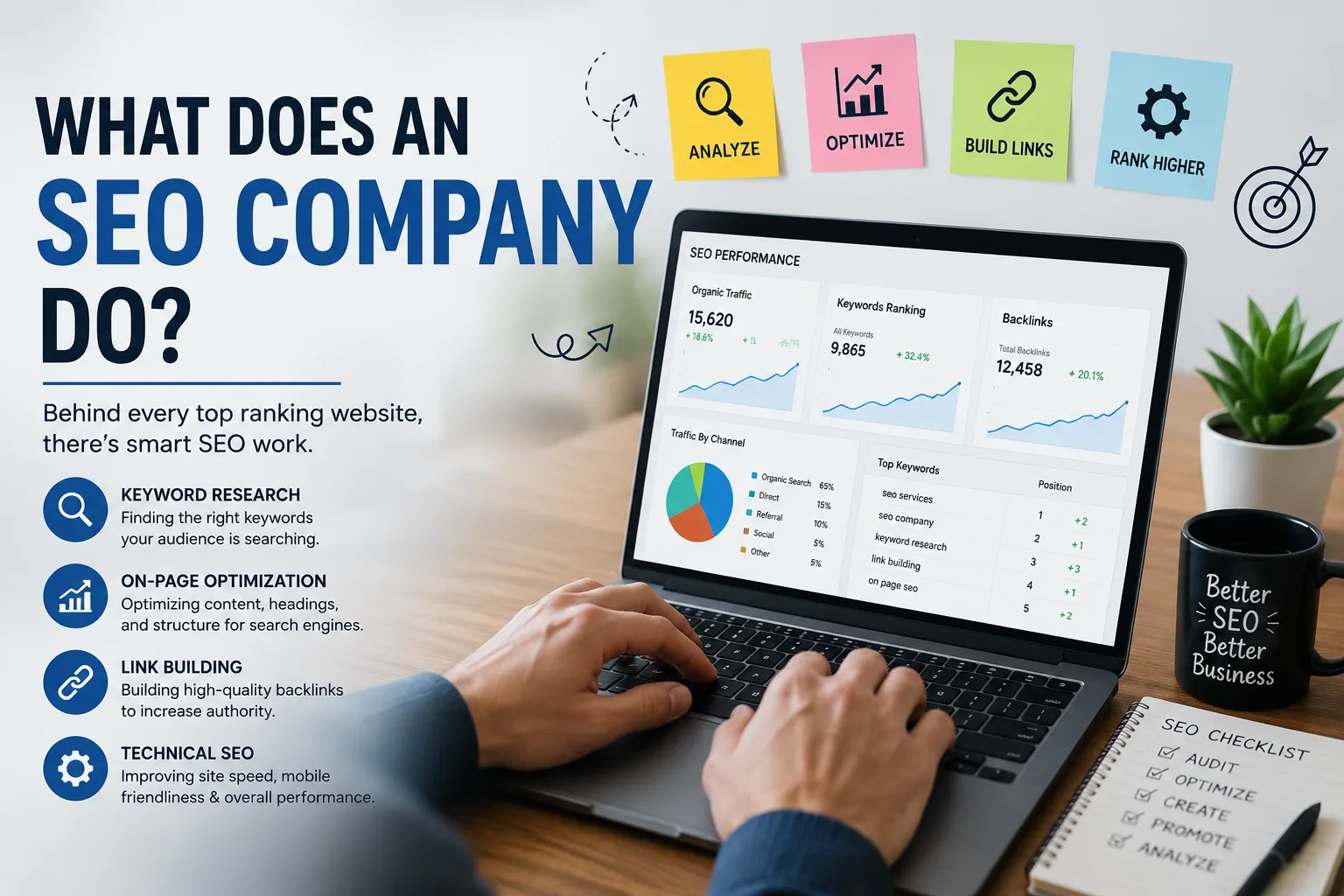
What Does an SEO Company Do?
Ever typed something into Google, clicked the third result without even glancing at the first two, and wondered why that happened? That’s not an accident. Somebody worked on that. A friend of mine runs a small furniture business. Beautiful pieces, solid craftsmanship, a website that looked fine to me. But she was getting almost no traffic that wasn’t from Instagram. She asked me once, half joking, “what does an SEO company do, anyway? Do they just… talk to Google for me?” Kind of, actually. Not literally, but that’s not a bad way to think about it. So What Does an SEO Company Do, Exactly? At the simplest level, an SEO company helps your website get found by the people who are already searching for what you offer. Not more traffic for the sake of traffic. The right traffic, the people who type a question into a search bar and are ready to become a customer, a reader, or a client. They usually work across three broad areas: Technical health of your site (speed, structure, how easily search engines can crawl it) Content that actually answers what people are searching for Authority building, which mostly means earning links and mentions from other trustworthy sites None of that sounds glamorous. It isn’t, most of the time. It’s closer to plumbing than marketing magic. The Parts Nobody Talks About in the Sales Pitch Here’s the thing most agencies won’t lead with. A good chunk of SEO work is just fixing broken stuff. Slow-loading pages. Missing title tags. Images with no alt text. Duplicate pages competing against each other for the same keyword. I once watched a developer spend two full days just cleaning up redirect chains on a client’s site. Not writing content. Not building links. Just untangling a mess that had built up over five years of random edits. That’s the unglamorous 40% of the job that actually moves the needle. An SEO company’s real value often isn’t creativity, it’s discipline. Doing the boring, correct thing consistently, month after month, when nobody’s watching. How Do You Actually Choose the Right One? This is where people get burned, honestly. The industry has a trust problem, and it’s earned. There are agencies selling “guaranteed page one rankings,” which should be an instant red flag since no one controls Google’s algorithm, not even Google’s own engineers fully predict it. A few things worth checking before you sign anything: Ask what they measure success by. If it’s only rankings and not traffic or conversions, that’s a narrow view. Ask for a recent case study with real, verifiable numbers. Ask how they build links. If the answer is vague or involves buying links in bulk, walk away. You can also just read Google’s own Search Essentials guidelines before hiring anyone. It won’t make you an expert, but it’ll help you spot nonsense when someone tries to sell it to you. Common Mistakes Businesses Make With SEO I’ve seen the same handful of mistakes over and over, across totally different industries. The biggest one? Expecting results in a month. SEO is closer to compound interest than a light switch. Ahrefs has published research showing most pages that eventually rank on page one took several months to over a year to get there, and that tracks with what I’ve seen firsthand. The second mistake is treating SEO as a one-time project. Set it up, forget it, wonder in six months why rankings dropped. Search engines change constantly. Competitors publish new content constantly. Standing still is, in practice, falling behind. And the third, maybe the sneakiest one: focusing only on keywords and ignoring user experience. You can rank for a phrase and still lose the visitor in three seconds if your page is cluttered or slow. What This Looks Like Week to Week If you’re curious what actual day-to-day SEO work looks like, it’s less exciting than people imagine. A typical week might include: Reviewing which pages gained or lost rankings Writing or updating a blog post around a specific search question Fixing a handful of technical issues flagged by crawl tools Reaching out to a few relevant sites about a possible link or mention Checking competitor movement, what they published, what changed on their site Nothing dramatic. Just steady, patient work that adds up. Is It Worth It? Depends on your business, honestly. If you’re a local shop with a tiny service area, you might get more mileage from a solid Google Business Profile and a handful of reviews than a full SEO retainer. But if you’re competing for search visibility with dozens of similar businesses online, this kind of ongoing work tends to pay off, just not overnight. My friend with the furniture business ended up hiring someone for six months before she saw a real shift in traffic. Not overnight, not magic. Just someone quietly fixing things and writing content that actually answered what her customers were searching for. That’s really what an SEO company does. Less wizardry, more groundwork. And honestly, that’s probably why it works.

Is Your Tech Marketing Actually Working, or Just Keeping You Busy?
Is Your Tech Marketing Actually Working, or Just Keeping You Busy? There’s a moment a lot of tech founders and marketing leads hit somewhere around month six. You’ve been posting consistently. Running ads. Publishing blogs. Sending newsletters. And then you look at the numbers, really look at them, and realize almost none of it is turning into actual customers. That’s not a content problem. That’s a tech marketing strategy problem. The tech industry is full of smart people who treat marketing like a to-do list. Tick the boxes, stay active, and hope the algorithm rewards you. But that approach tends to produce noise, not growth. So what does effective tech marketing actually look like in practice? The Real Job of Tech Marketing Isn’t Awareness. It’s Trust. Most tech products solve a real problem, but convincing someone to trust your solution over a competitor’s is a different challenge entirely. Especially when your audience is technical. They can spot vague claims instantly. Generic phrases like “cutting-edge,” “seamless,” and “robust” get scrolled past without a second thought. The brands that win in tech marketing are the ones that show their work. Case studies with actual numbers. Honest breakdowns of how the product handles edge cases. Comparisons that don’t shy away from where competitors are strong. This kind of content takes longer to produce, but it builds something advertising rarely does: credibility with people who do their research. Think about how you personally evaluate a new SaaS tool. You probably read reviews, watch a demo, look for Reddit threads, check if there’s documentation. You’re doing your own research. Your potential buyers are doing the exact same thing. Why Most Tech Brands Keep Targeting the Wrong Audience Here’s a pattern that shows up constantly. A company builds a product for, say, mid-size e-commerce operations. But their content is written for anyone running an online store, from Shopify solopreneurs to enterprise retail teams. The message gets watered down to fit everyone, and it resonates with no one. Good tech marketing starts with being uncomfortable specific. Not “teams who want better data,” but “growth marketing managers at SaaS companies with 50 to 200 employees who are frustrated that their attribution model keeps breaking.” That specificity feels risky because it seems like it narrows your audience. It actually does the opposite. It makes the right people feel immediately understood, and they’re far more likely to convert. A real example of this working: Basecamp spent years writing content specifically for small, independent businesses who were burned out by overcomplicated project tools. They were not targeting enterprise. That clarity made them the obvious choice for exactly the people they wanted. The Channels That Actually Move the Needle for Tech Companies Not every channel works equally well for tech products, and spreading budget thin across all of them is one of the most common ways companies waste money. Here’s what tends to perform well based on the nature of tech buying behavior: Search (SEO and PPC): Technical buyers research before they decide. Being present at that moment, with genuinely useful content, is one of the highest-ROI things a tech company can do. The digital marketing services landscape in 2026 shows just how important search visibility has become for businesses trying to grow online. Community presence: Showing up in Slack communities, subreddits, forums, and niche Discord servers where your audience already hangs out builds trust in a way that ads never will. Not with promotional posts, but with genuinely helpful participation. Email to engaged subscribers: A small list of people who actually care about your product space will consistently outperform large audiences who never asked to hear from you. Partner and integration content: If your tool integrates with something your customers already use, co-marketing with that platform is one of the most underused growth levers in tech. What consistently underperforms? Broad social media campaigns that chase impressions instead of intent. Follower counts are vanity metrics for most B2B tech companies. The Mistake That Quietly Kills Tech Marketing Budgets Content created for content’s sake. You’ve probably seen it. A company publishes twelve blog posts a month, all of them surface-level, none of them ranking for anything competitive, none of them sent anywhere, none of them connected to a clear funnel. The problem isn’t volume. It’s that there’s no strategy behind what gets created. Before publishing anything, it’s worth asking: who exactly is going to find this? Where are they in their buying journey? What do they need to believe to move forward? What action does this piece encourage? If you can’t answer those questions, the content will exist but it won’t do anything. This is also where understanding how on-page SEO and technical site health connect to your content strategy matters. Even the best piece of writing won’t bring in traffic if the technical foundation is broken. What Good Tech Marketing Feels Like From the Inside When the strategy is right, the workload actually gets lighter. You’re not scrambling to produce content constantly. You have a small set of core pieces that do a lot of work, things like a genuinely strong comparison page, a well-researched guide that answers the question your audience searches for most, a series of case studies that show real outcomes. You measure things that matter. Pipeline influenced. Demo requests. Qualified signups. Not impressions, not likes, not newsletter open rates in isolation. And the team stops arguing about which channel to focus on because there’s clarity around where the target customer actually spends time and what convinces them. A Few Things Worth Reading if You’re Rethinking Your Approach If you’re evaluating your current strategy, two resources worth spending time with are: HubSpot’s State of Marketing Report gives a useful annual snapshot of what’s actually working across B2B and B2C, including tech-specific data on channel performance and buyer behavior. Gartner’s research on B2B buying journeys is particularly relevant for tech companies with longer sales cycles. Their data on how much of the buying process happens before a vendor is

What Does a Digital Marketing Strategist Actually Do (And Do You Even Need One)?
The Job Nobody Can Quite Explain at a Dinner Party Ask five different people what a digital marketing strategist does and you’ll get five different answers. One person says “social media stuff.” Another says “SEO, I think.” A third throws out “basically Google ads and analytics.” They’re all partially right, which is part of the problem. A digital marketing strategist is the person who looks at your entire online presence, figures out what’s working, what’s bleeding money, and builds a plan that actually connects everything together. Not just one channel. All of them, in coordination. Think of it like this: running paid ads without an SEO plan is like driving fast in the wrong direction. A strategist is the one who checks the map before anyone hits the gas. What They Actually Spend Their Time Doing Here’s where it gets more concrete. A digital marketing strategist spends time across a few core areas, and the mix depends heavily on your business model. Audience research and positioning. Before any campaign goes live, someone has to understand who the customer actually is. Not just age and income bracket. What language they use, what problems they’re solving, and where they’re already spending time online. Strategists dig into that first. Channel strategy. Should you be on TikTok? Should you double down on email? Is LinkedIn actually worth it for your niche? These aren’t obvious answers, and a lot of businesses waste money testing every platform at once instead of being selective. A good strategist helps you pick based on data, not trends. Campaign planning and messaging. Once the channels are clear, someone has to build the messaging framework. What’s the hook? What’s the offer? How does someone move from seeing an ad to trusting the brand? Strategists map that path out before anything goes to a copywriter or designer. Tracking and attribution. This is the part most business owners don’t think about until they’re sitting in a meeting unable to explain which campaign drove revenue. A strategist sets up the measurement framework so that when results come in, everyone knows what caused them. The Difference Between a Strategist and a Specialist This confusion trips a lot of people up when they’re hiring. A paid ads specialist runs your Google or Meta campaigns. An SEO specialist handles keyword rankings and technical site health. A content writer produces articles and social posts. All of them are executing inside their lane. A digital marketing strategist sits above all of that. They’re the one making sure every specialist is working toward the same goal, that the ads are reinforcing what the SEO content says, and that the email funnel picks up where the social posts leave off. Without that coordination, you get disconnected efforts that each look fine on paper but don’t add up to actual business growth. One agency owner described it well: she hired three freelancers for ads, SEO, and email separately, and they all performed. But revenue barely moved. When she brought in a strategist to connect the work, the same budget started producing 2-3x the results within a quarter. Nothing about the individual tactics changed. The strategy changed. Common Mistakes Businesses Make Before Hiring One If you’ve been running your own marketing, chances are you’ve made at least one of these. Chasing the shiny platform. Every few months a new channel becomes “the future of marketing.” A strategist helps you ignore 90% of that noise and stay focused on what actually works for your specific audience. Measuring vanity metrics. Likes, followers, impressions. These feel good but don’t tell you if the marketing is working. A strategist shifts the conversation to leads, conversion rate, and cost per acquisition. Skipping the funnel. A lot of brands create top-of-funnel content (awareness) and bottom-of-funnel ads (buy now) but nothing in between. That gap is where customers fall out. Strategists build the middle. No testing structure. Running ads without a clear test-and-learn framework means you’re spending money without knowing how to improve. Strategy includes how you’ll experiment, not just what you’ll run. If you’re running digital marketing services without someone holding the strategic view, most of the effort ends up being reactive instead of intentional. How to Know If You Actually Need a Strategist Right Now Not every business is at the stage where a full-time strategist makes sense. Here’s an honest read on timing. You probably need one if: You’re spending more than $3,000 a month on ads and not sure what’s working You’ve tried multiple channels but nothing seems to get traction Your team is executing but results are inconsistent You’re about to launch something new and need a go-to-market plan You might not need one yet if: You’re still in early product validation phase Your marketing budget is very small and you’re still figuring out the offer You just need one specific thing done, like a website or a single campaign In that second case, sometimes starting with a solid set of digital marketing tools is a smarter first step. Get familiar with what the platforms can do, then layer in strategic thinking once you’re ready to scale. What to Look For When You’re Ready to Hire This is where a lot of businesses make expensive mistakes. The portfolio matters, but not in the way you think. Don’t just look at results from their past clients. Ask how they got those results. Ask what didn’t work. Ask what they would have done differently. A strategist who can articulate failure clearly is usually far more valuable than one who only shows highlight reels. Ask about their process for learning your business. If they want to jump straight to tactics before understanding your offer, customers, and goals, that’s a sign they’re used to running playbooks rather than building actual strategy. Also, according to HubSpot’s Marketing Industry Report, businesses that document their marketing strategy are 313% more likely to report success than those that don’t. A strategist who can put that documented plan in writing, and defend every
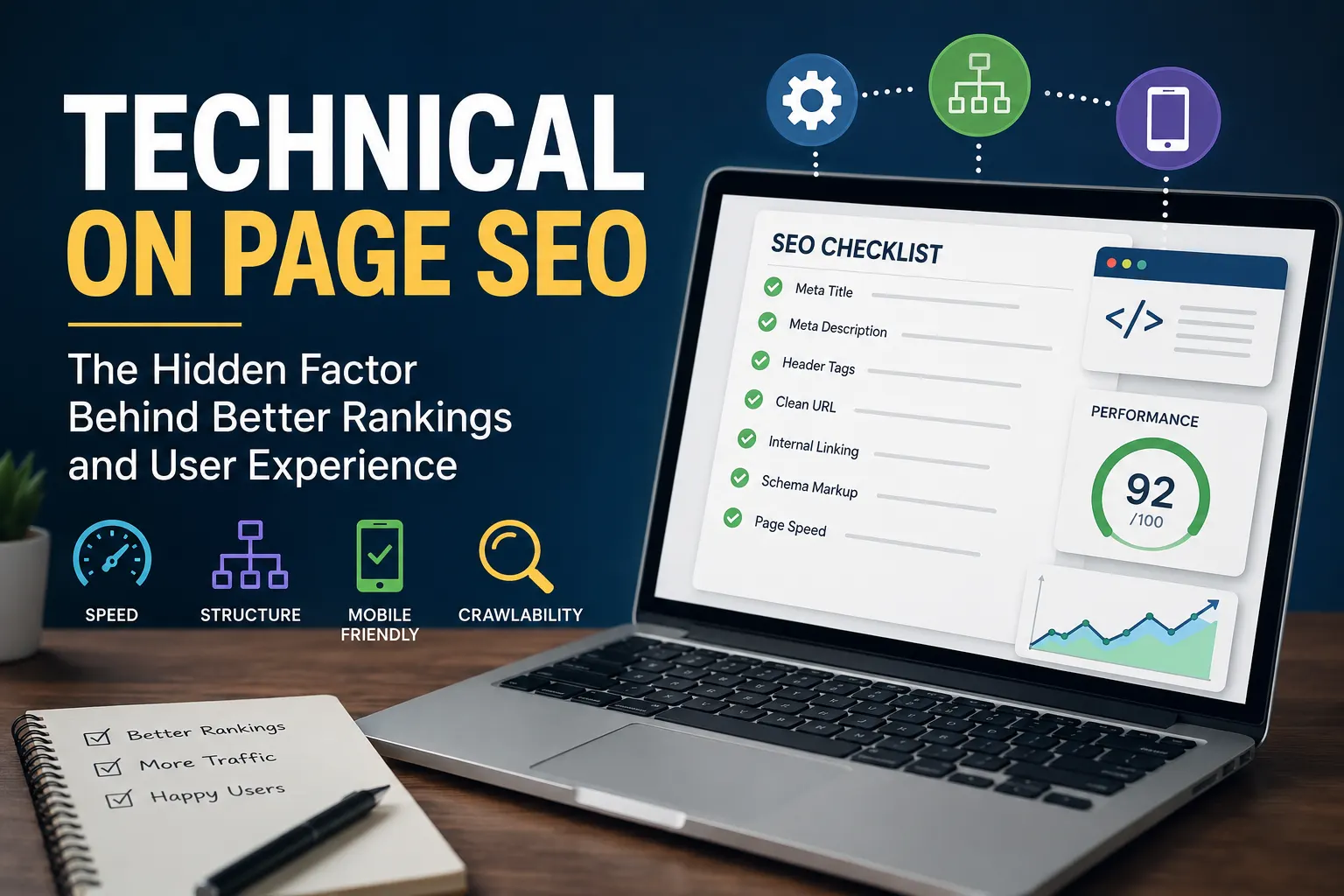
Is Your Technical On Page SEO Actually Broken, or Are You Just Overthinking It?
Why Your Technical On Page SEO Strategy Needs a Human Reality Check Think about the last time you left a website out of sheer frustration. Maybe a page took forever to load, or the layout shifted right as you were about to click a link. We have all been there, and it is incredibly annoying. When we talk about technical on page seo, it is easy to get buried under a mountain of code, spreadsheets, and complex metrics. We start looking at our websites like machines rather than places where actual people come to read, learn, or buy things. With the sudden explosion of content generated by ai, it feels like everyone is trying to optimize exclusively for bots. But when it comes to the classic debate of ai vs human preferences, search engines are shifting. They want to reward sites that feel good to use. The Trap of Optimizing Only for Bots A friend of mine spent three weeks perfectly mapping out his site schema and optimizing every single image tag. Yet, his traffic kept dropping. Why? Because the actual content was boring and the site navigation felt like a maze. He treated technical on page seo like a rigid checklist instead of a user experience framework. If your site structure confuses a human, it is probably going to confuse Google’s crawlers too. Search engines look at how real people interact with your pages. You can find deep insights on how these crawlers view your site by checking the official Google Search Central documentation, which heavily stresses user experience. If users bounce immediately because your layout is a mess, all that perfect backend coding goes to waste. Common Pitfalls That Quietly Tank Your Rankings Sometimes the biggest mistakes are the ones we completely overlook because we are focusing on the wrong things. Here are a few common slip-ups that happen when you lose sight of the human element: Ignoring mobile responsiveness because it looks fine on your desktop monitor. Creating messy, confusing URL structures that look like random strings of numbers. Over-indexing thin, useless utility pages that offer zero value to readers. How often do you check your site on an actual phone instead of just resizing your browser window? It is a small habit, but it catches massive errors before your visitors do. Striking the Balance Between Automation and Authenticity The rise of software powered by ai makes it incredibly easy to audit a site in seconds. These platforms spit out hundreds of warnings that look terrifying. But here is the thing: a software program cannot tell you if your internal linking strategy actually makes logical sense to a reader. It cannot feel the frustration of a broken design. Clean code matters, and resources like the Mozilla Developer Network offer great foundations for building fast, clean layouts. However, code is just the vehicle. The destination still needs to be built for a person. Prioritize fixing the errors that directly hurt the user experience first, rather than chasing a perfect score on an automated tool. Practical Steps to Fix Your Foundations Today Don’t panic and try to overhaul everything overnight. Start small. Fix your broken links, clean up your messy redirects, and make sure your text is actually readable against your background color. When you master the essentials of technical on page seo, the rest usually falls into place naturally. You build a fast, clean, accessible website, and the search engines will naturally want to share it. At the end of the day, optimization isn’t a dark art. It is just digital hospitality. Make your site a pleasant place to visit, and the algorithms will take care of themselves. What is one technical tweak you have been putting off that you can fix right now?
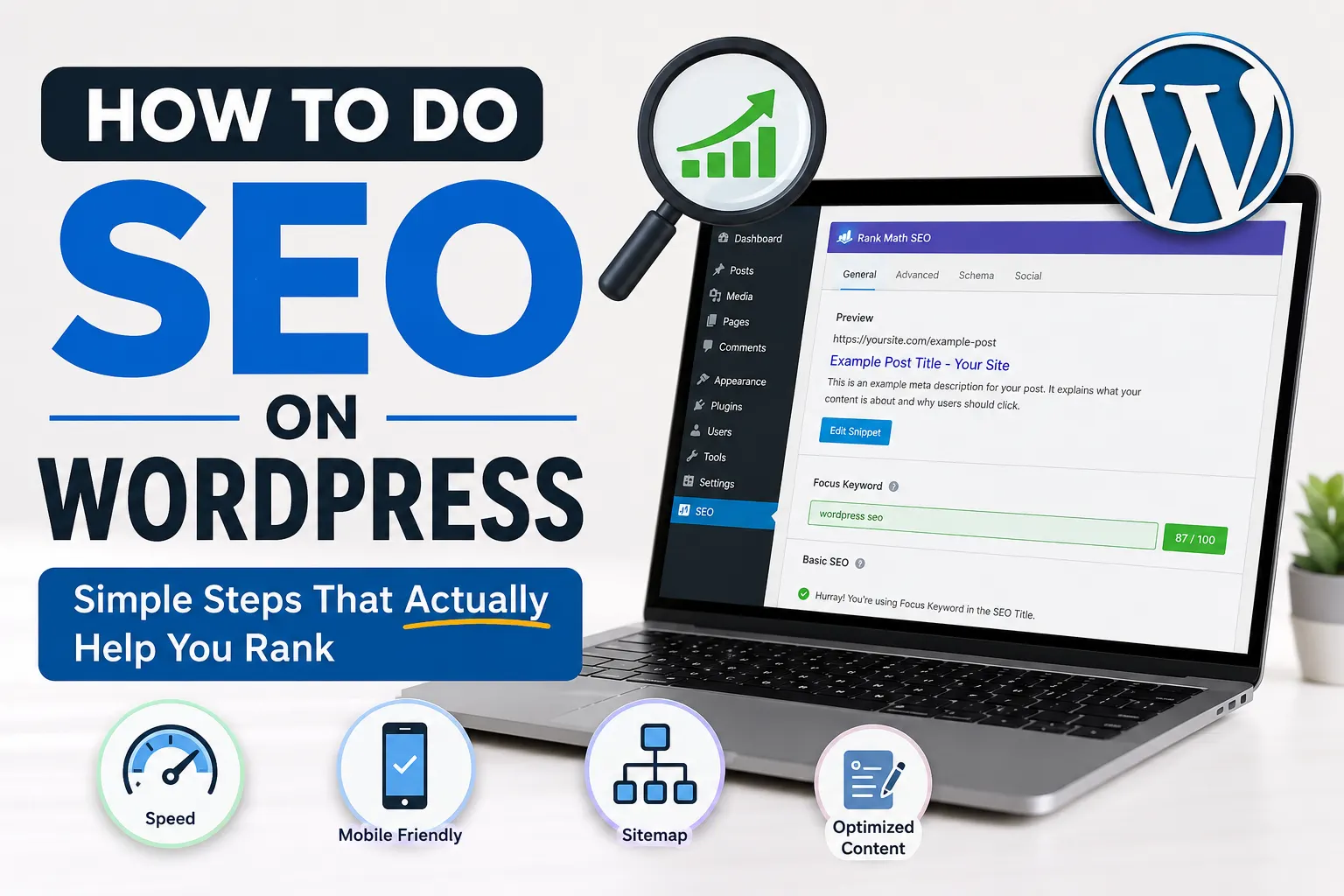
How to Do SEO on WordPress in 2026
How to Do SEO on WordPress Without Overcomplicating It Most people who build a WordPress site spend the first week tweaking their theme and the second week spiraling through SEO tutorials that all say something slightly different. It’s a weird loop. Here’s the thing, though. Learning how to do SEO on WordPress doesn’t require becoming a technical expert or memorising a hundred ranking factors. It requires setting up the right things correctly, publishing content people are actually searching for, and not skipping the basics that quietly matter. Let’s go through what that actually looks like. Start With Your SEO Plugin (Because the Default Setup Won’t Cut It) WordPress doesn’t come with built-in SEO tools, so your first real decision is which plugin to use. The two most widely used are Yoast SEO and Rank Math. Both work well. If you’re newer to this, Rank Math has a slightly smoother setup experience and gives you more on the free plan. Yoast has a longer track record and many developers still prefer it. What matters more than which one you pick is that you actually configure it properly after installing. Most people install it, see the icon in the dashboard, and never touch it again. Here’s what the setup should include: Setting your site’s title format and separator Writing a homepage meta description Connecting to Google Search Console through the plugin Enabling XML sitemaps so Google can crawl and index your pages Rank Math’s setup wizard walks you through most of this, which helps when you’ve never done it before. If you’re using Yoast, the first-run configuration guide does something similar. Your Permalink Structure Is Small But Matters More Than You’d Expect Go to Settings > Permalinks in your WordPress dashboard. If the current setting shows something like /?p=123 in your URLs, change it before you publish anything else. The cleanest and most SEO-friendly option is /%postname%/, which creates readable URLs based on your post title. Something like yoursite.com/best-coffee-for-beginners/ instead of a random string of characters. Readable URLs help both search engines and real people understand what a page is about before clicking. Google uses URLs as a small ranking signal. And honestly, a person is more likely to trust a link they can actually read. Do this early. Changing permalink structures after you’ve built a large site can break existing links and create redirect headaches. On-Page SEO: What to Actually Do Before You Hit Publish This is where most of the regular SEO work happens. Every post you publish is an opportunity to either help or waste your visibility in search results. Here’s a real scenario to make this concrete. Say you run a food blog and you’re writing a post about making sourdough at home. Most people write the post, upload a photo, and hit Publish. But a few minutes of on-page work before publishing makes a significant difference. Focus keyword first. Choose one main phrase you’re genuinely trying to rank for. Use it in your H1 title, somewhere in the first paragraph, in the meta description, and in at least one image alt tag. Meta description. This appears under your title in search results. It doesn’t directly influence your ranking, but a well-written one improves click-through rate, which does affect how Google sees your page over time. Write it as a clear, direct answer to what someone searching that phrase wants to know. Internal linking. Every post should link to 2 or 3 other relevant posts on your site. It tells search engines how your content is connected and keeps readers going deeper into your site. For example, if you’re covering link-related topics, pointing readers toward why external links can actually strengthen your SEO adds real value to the post. Image alt text. It takes 20 seconds per image and helps search engines understand what the visual is showing. Don’t skip it. Site Speed and the Technical Stuff You Can’t Ignore A slow site hurts your rankings. Google has confirmed page speed as a ranking factor, and the Core Web Vitals update made it even more official. You can feel the problem yourself: click a search result, wait 4 seconds for it to load, and you leave. So does everyone else. On WordPress, speed problems usually come from a few predictable places: Large images that were never compressed before uploading Too many plugins running scripts on every page Shared hosting that struggles under any real traffic No caching configured Run your site through Google PageSpeed Insights. It gives you your current score and shows exactly which elements are slowing things down, with specific recommendations. For images, a plugin like ShortPixel or Imagify handles compression automatically when you upload. For caching, WP Rocket is the most recommended paid option. W3 Total Cache is solid if you want to stick to free tools. Also make sure your site runs on HTTPS. If you’re still on HTTP, that’s a ranking disadvantage most hosting providers have made easy to fix through a free SSL certificate. One thing that often goes unnoticed is broken links. They build up quietly as you delete or move pages, and they do affect how search engines evaluate your site. There’s a useful breakdown of how broken links actually affect your SEO if you want to understand what’s actually at stake before spending time on fixes. The Mistakes That Keep WordPress Sites From Ranking Even after the setup is done and content is being published, these are the patterns that hold most sites back: Targeting keywords that are too competitive. A newer site writing about “best running shoes” is fighting for visibility against REI, Runner’s World, and dozens of other well-established domains. Look for longer, more specific phrases with less competition. “Best trail running shoes for wide feet” is a better target for a smaller site, even if the monthly search volume is lower. Publishing thin content. A 350-word post on a complex topic doesn’t signal depth to search engines. Aim for substance over length, but in practice