

Web Design and SEO: Are You Building a Site That Google Actually Wants to Rank? Here’s a question worth sitting with: if your website looks beautiful but nobody finds it, does it really matter? A lot of business owners pour money into stunning visuals, clever layouts, and perfectly chosen fonts. And then they wonder why organic traffic never comes. The truth is, web design and SEO are not separate conversations. They’re deeply connected, and ignoring one while obsessing over the other is how sites end up invisible. Why Your Website’s Design Affects More Than Just Looks Google doesn’t care how your homepage looks on a Retina display. What it does care about is how fast your page loads, whether your content is easy to navigate, and whether people stick around long enough to actually read what you’ve written. Every design decision has an SEO consequence. A bloated hero image? That’s page speed gone. A confusing navigation menu? That’s bounce rate up. Tiny unreadable text on mobile? That’s a ranking signal you’re handing to your competitors. Think about the last time you landed on a website and clicked away in three seconds. You probably didn’t even consciously notice what drove that decision. It just felt off. Google notices those patterns at scale. The Four Design Elements That Impact SEO Most Not everything in your design carries equal weight when it comes to search. These four areas tend to make the biggest difference: Page speed and Core Web Vitals Google’s Core Web Vitals measure how fast content loads, how stable the layout is, and how quickly a page responds to interaction. Designers who layer in heavy JavaScript frameworks, large uncompressed images, or render-blocking resources are quietly tanking rankings without realizing it. You can check your own scores using Google’s PageSpeed Insights tool, which gives a real breakdown of what’s slowing things down. Mobile-first layout More than half of global web traffic comes from phones. Google indexes the mobile version of your site first. If your layout breaks at 375px or your buttons are too small to tap comfortably, that’s a ranking problem, not just a design problem. Heading structure and content hierarchy H1, H2, H3 tags are not just styling choices. They tell search engines what your page is about and how your content is organized. A site where headings are used randomly for visual effect rather than logical structure loses a significant chunk of SEO signal. Internal linking and site architecture Good design guides users from one page to the next in a way that feels natural. That same internal linking structure also helps search engines crawl and understand the relationship between your pages. A flat, logical site structure beats a confusing nested one every time. And while you’re thinking about links, it’s worth knowing that broken links can quietly cost you traffic too, especially on older or frequently updated sites. A Real Situation Worth Thinking About Imagine a local bakery that spent three months and a fair amount of money getting a gorgeous website built. Custom photography, smooth scrolling, subtle animations. The whole thing. Six months after launch, they were still getting almost no organic traffic. A quick audit revealed the problems: images were enormous and uncompressed, the mobile version had overlapping text, and there was no logical heading structure anywhere on the site. The page title just said “Home.” No amount of visual polish fixes those issues. And this isn’t a rare situation, it’s one of the most common patterns in small business websites. Common Mistakes That Quietly Kill Your Rankings A few things show up again and again when you look at sites that should be ranking but aren’t: Designing for desktop only while ignoring how the page behaves on mobile Using images instead of text for important headlines or CTAs (search engines can’t read text inside images) Forgetting alt text on images, which matters both for accessibility and for image search No clear page titles or meta descriptions, often because the design phase never covered SEO basics JavaScript-heavy frameworks that make it difficult for crawlers to index content Any one of these alone is manageable. Several of them together and your site is basically invisible. So What Does Good Look Like? The sites that tend to rank well are not always the most visually complex ones. They’re the ones where someone actually thought about the user experience from both a design and a search perspective at the same time. There’s also a strong case that custom web development outperforms templates precisely because it allows for that level of intentional, integrated thinking from the ground up. Fast load times. Clear headings. Logical navigation. Text that’s actually readable. Pages that answer specific questions rather than vague topic areas. The Moz Beginner’s Guide to SEO is worth bookmarking if you want a grounded resource on how on-page factors, technical setup, and content work together. It’s written plainly and updated regularly. Practical Starting Points If You’re Rebuilding or Auditing You don’t need to overhaul everything at once. A few focused changes tend to move the needle faster than a full redesign. If you’re building something new from the ground up, walking through a solid ecommerce website development process can give you a useful structural reference even if you’re not running a shop. Run a Core Web Vitals test and fix the biggest performance issues first Audit your heading structure page by page Check your site on a real phone, not just a browser simulator Make sure every page has a unique, descriptive title tag Review your internal links, are they helping users go deeper into your content or dead ends? Building for People (and Letting Google Follow) Here’s the thing that sometimes gets lost in the technical side of all this: SEO and good design are both ultimately about people. A site that loads fast, is easy to navigate, and has content worth reading will naturally do better in search over time. The algorithm is designed, imperfectly but deliberately, to
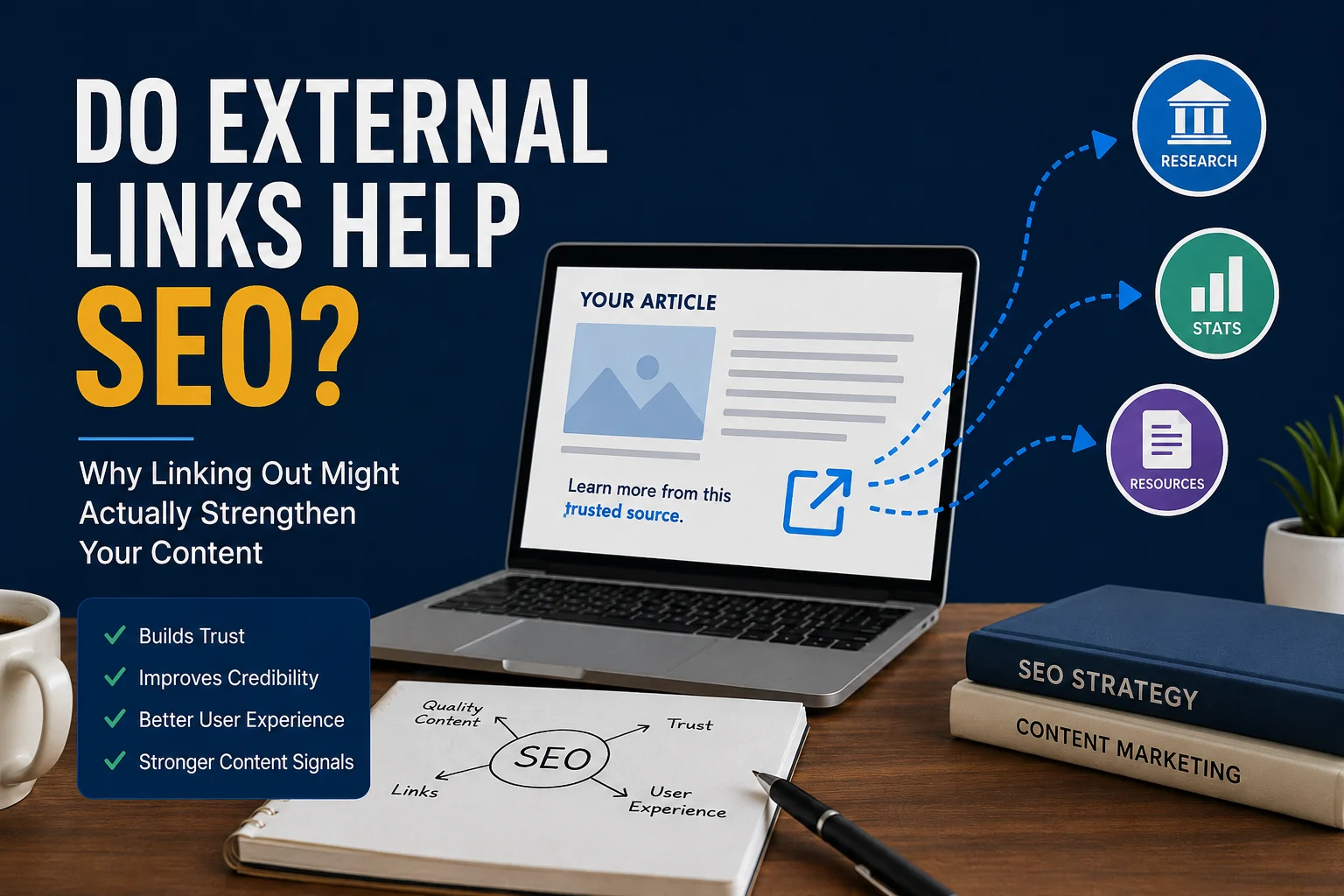
Do External Links Help SEO? Why Linking Out Might Actually Strengthen Your Content
Here’s a scenario you’ve probably run into. You spend hours writing a genuinely useful blog post, you link out to a couple of relevant sources, and then someone tells you that you’re “leaking PageRank” and hurting your own rankings. So you start second-guessing every link you place. The truth? That advice is outdated, and in some cases, it’s doing real harm to the quality of your content. Let’s actually talk about whether do external links help seo is even the right question to be asking. What External Links Actually Do for Your Page When you link out to another website, you’re not just being helpful to your readers. You’re sending a signal to search engines about the company your content keeps. Google’s systems are designed to understand topical relevance and authority. When your article about nutrition links to a peer-reviewed study on PubMed, that says something about the quality of your sourcing. When it links to a random blog with no clear expertise, that says something too. Think of it like writing an academic paper. A well-cited piece feels more credible than one that references nothing. Search engines have been moving in this direction for years, and the logic holds up. So yes, external links can help SEO, but the quality and context of those links matter far more than the quantity. The Biggest Myth: Linking Out Hurts Your Rankings This is probably the most repeated and most misunderstood idea in SEO. The “PageRank sculpting” thinking was more relevant back in the early 2000s. The idea was that every link out diluted the “link juice” flowing through your page. So some people started using rel=”nofollow” on everything, or just avoiding outbound links altogether. That era is long gone. Modern ranking systems don’t work the way a simple bucket-of-juice model suggests. Google has confirmed multiple times that linking to high-quality external resources is a good practice, not a liability. John Mueller from Google said it pretty clearly back in 2020: external links to relevant, authoritative sites are part of what makes a page useful. That’s the standard they’re trying to reward. When External Links Actually Improve Your SEO There are a few specific ways that linking out can work in your favor. Building topical trust: If you’re writing about a medical topic and you cite sources like the Mayo Clinic or WHO, you’re placing your content in a trusted neighborhood. That context signals quality. Supporting your claims: An article that backs up statistics with real sources is harder to dismiss than one making unsupported claims. This matters for E-E-A-T, which is Google’s framework for evaluating content quality across expertise, experience, authority, and trustworthiness. Improving user experience: When someone reads your post and finds genuinely useful links to learn more, they spend more time engaging with your content ecosystem. That behavior sends positive signals. Getting noticed by other sites: Linking to other creators sometimes opens doors. People notice when someone references their work, and that goodwill occasionally turns into a backlink your way. You can read more about how Google evaluates content quality in Google’s Search Essentials documentation, which covers the principles behind what they actually reward. The Mistakes That Make Outbound Links Hurt You Not all external linking is good, obviously. Here’s where things go wrong. Linking to low-quality or spammy sites is the most obvious one. If you’re writing about personal finance and you link to a site that’s basically a scam or has zero editorial standards, that’s a problem. Linking out in bulk without purpose. Some people add a dozen external links thinking more citations equals more credibility. It doesn’t. Each link should serve a clear reason for being there. Broken outbound links. A link that goes nowhere is worse than no link at all. Run a basic audit every few months to make sure the sites you’re pointing to still exist and are still relevant. Over-relying on nofollow. If you nofollow every single external link, you’re basically saying you don’t trust any source you cite. That’s a weird signal to send, and it removes the benefit of associating your content with authoritative sources. A useful free tool for checking your outbound links and overall page health is Ahrefs Webmaster Tools, which has a solid free tier. A Real-World Example Worth Thinking About Imagine two articles about “how to treat a sprained ankle.” Article A has no outbound links. It makes claims, gives advice, and ends there. Article B links to a sports medicine journal explaining the RICE method, and to a physio association explaining when to see a doctor. Which one do you trust more as a reader? Which one do you think Google is more likely to consider a genuinely helpful resource? Article B isn’t leaking value. It’s demonstrating that the author actually knows the space and cares enough to point people toward the right information. That’s the mindset shift that makes external linking useful rather than scary. Practical Guidelines for Linking Out Well A few things worth following if you want external links to work for you rather than against you: Link to primary sources when possible: research papers, official documentation, government sites, recognized industry organizations Use anchor text that makes sense in context, not just “click here” Avoid linking to competitors on your most competitive pages, though this matters less than people think Check your outbound links periodically for 404s or redirects that lead somewhere weird Don’t link out just to seem authoritative, link because the source adds something your content doesn’t Final Thought The question of whether do external links help SEO is really a question about what kind of content you’re building. If you’re writing content designed to genuinely help people understand something, external links are a natural part of that. They reflect how knowledge actually works. Search engines are increasingly good at recognizing this. The pages that try to hoard authority by linking to nothing often end up feeling thin and disconnected. The ones that engage with the wider web tend
Do Broken Links Affect SEO? The Small Website Issue That Can Quietly Cost You Traffic
Do Broken Links Affect SEO? More Than You Might Think You click a link on a website. The page doesn’t load. Just a cold, unhelpful 404 error staring back at you. Now imagine that happening on your own site, dozens of times, without you even knowing. That’s the quiet kind of damage broken links do. And yes, do broken links affect SEO? Absolutely. But the full picture is a bit more layered than a simple yes or no. What’s Actually Happening When a Link Breaks A broken link is any link that no longer leads where it’s supposed to. This could be an internal link pointing to a page you deleted, or an external link pointing to a site that’s gone offline. Either way, the result is a dead end for both users and search engine crawlers. When Google’s crawl bot hits one of those dead ends, it doesn’t just shrug and move on. It logs the error, and if it keeps finding them across your site, it starts building a picture of your site as something that isn’t well-maintained. That matters more than people realize. The SEO Impact Nobody Talks About Enough There are two sides to how broken links hurt your SEO. The first is the direct technical side. Search engines crawl your site by following links. When those links lead nowhere, crawlers waste their crawl budget hitting dead pages instead of discovering and indexing your actual content. On a large site, this can genuinely limit how much of your content gets indexed. The second side is less discussed: user experience signals. Google pays close attention to how users interact with your site. If someone lands on a page, clicks a link, hits a 404, and immediately bounces back to search results, that’s a bad signal. It suggests your site didn’t deliver what was expected. Internal vs. External Broken Links: Does It Matter Which? Yes, they’re different problems with different levels of urgency. Internal broken links are fully within your control and usually the more damaging of the two. They break the flow of how link equity passes through your site. If you have a well-ranking page linking to a deleted page, that authority essentially gets lost. It’s like a road that leads to a wall. External broken links (links pointing out to other websites) aren’t as directly damaging, but they do reflect on your site’s quality. A resource page full of dead outbound links looks outdated and poorly maintained. It chips away at trust, both from users and from the overall quality signals Google uses. The ones that really sting are inbound broken links, meaning links from other websites that point to pages on your site that no longer exist. You lose referral traffic and the SEO value from those backlinks at the same time. A Real Example Worth Thinking About Imagine you run a travel blog. A few years ago, you published a well-researched guide to budget flights, and it earned backlinks from 15 different travel sites. Then you restructured your site and changed the URL without setting up a redirect. All 15 of those backlinks now point to a 404 page. The authority those links carried, gone. The referral traffic, gone. The crawl budget spent checking your domain, wasted on dead pages. This kind of thing happens quietly, all the time, on sites that never bother auditing their links. How Often Should You Actually Be Checking? For most small to medium sites, running a broken link audit every couple of months is a reasonable rhythm. If you’re frequently publishing, restructuring, or removing content, monthly checks make more sense. Tools like Screaming Frog, Ahrefs, or Google Search Console give you a clear view of where broken links are hiding. Search Console is especially useful because it shows you the exact 404 errors Google is encountering when it crawls your site. When you find broken internal links, fix them. Either update the link to the right destination or, if the old page is gone, set up a 301 redirect to the most relevant existing page. A quick audit checklist worth bookmarking: Check Google Search Console for 404 errors Run a Screaming Frog or Ahrefs site audit Identify broken internal links and fix or redirect Review external outbound links and replace dead ones Look for inbound links pointing to deleted pages using Ahrefs or Semrush What Redirects Actually Do for You A 301 redirect tells both users and search engines that a page has permanently moved. Done right, it preserves almost all of the SEO value of the original URL. This is especially important when you’re redesigning a site or migrating to a new domain. Without proper redirects in place, you’re throwing away the authority your old pages earned over time. Setting up redirects isn’t complicated, but it’s easy to forget during the bigger decisions of a redesign. Put it on the checklist before you ever take old URLs offline. So, Do Broken Links Affect SEO? Yes. And the effect compounds the longer they go unfixed. A single broken link won’t tank your rankings overnight. But a site full of them, left unchecked for months or years, sends a steady stream of negative signals: poor maintenance, wasted crawl budget, lost link equity, and frustrated users. The good news is that fixing broken links is one of the more straightforward SEO tasks you can tackle. It doesn’t require fancy tools or deep technical expertise. It just requires paying attention and being consistent about it. If you haven’t run a broken link audit on your site recently, it’s probably worth doing sooner rather than later. You might be surprised by what you find.
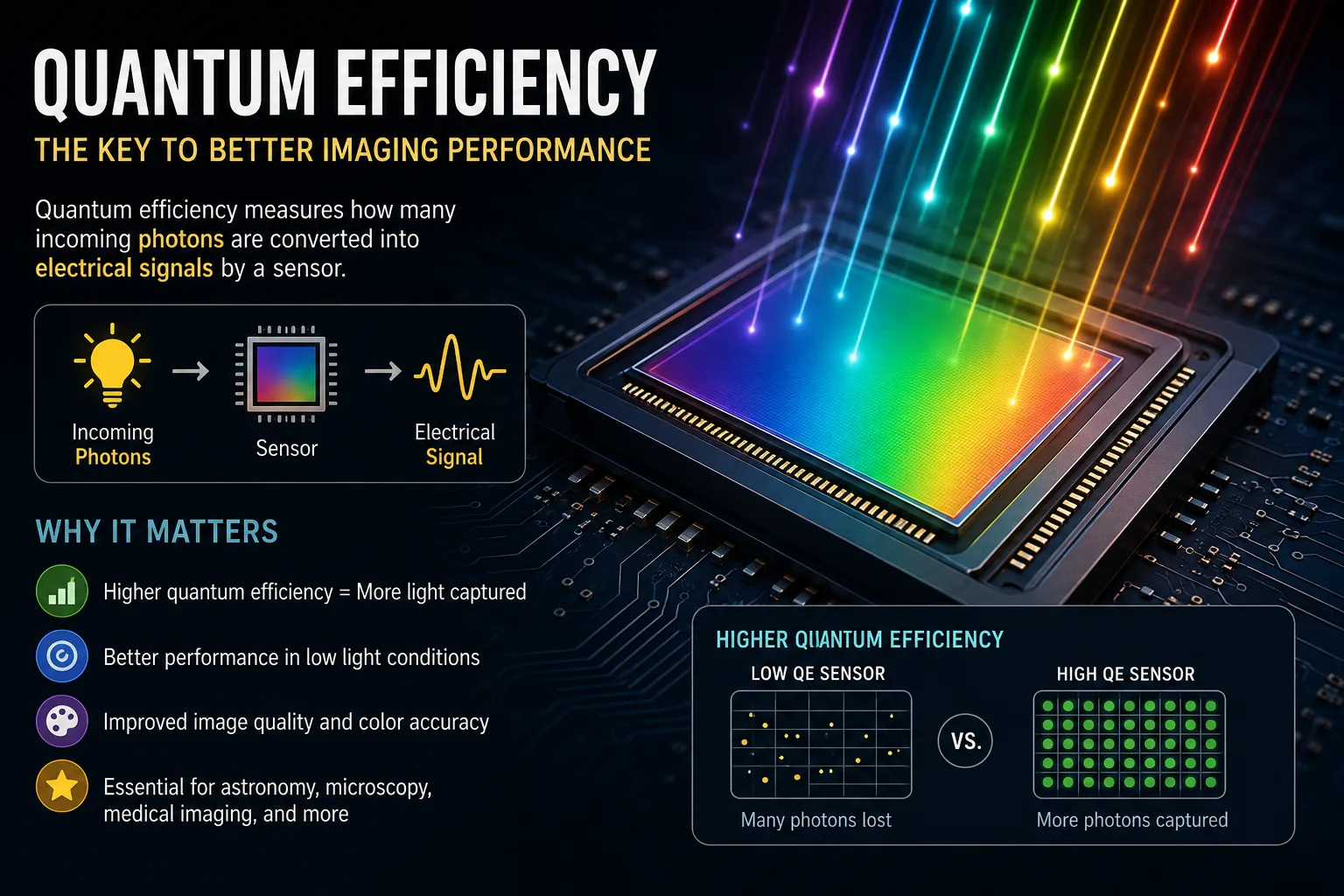
Quantum Efficiency: The Hidden Metric That Changes How We See Sensor Performance
What Is Quantum Efficiency and Why Does It Matter More Than You Think? Here’s something most people never think about: every time your phone camera takes a photo, every time a solar panel soaks up the afternoon sun, there’s a hidden number doing a lot of the heavy lifting. That number is quantum efficiency, and it quietly determines how good, how fast, or how powerful a device actually is. It’s one of those terms that sounds intimidating but makes a lot of sense once you strip away the jargon. The Simplest Way to Understand It At its core, quantum efficiency measures how well a system converts incoming photons (light particles) into a useful output, whether that’s electrical current, a digital signal, or usable energy. Think of it like this: if 100 photons hit a solar cell and only 80 of them produce electrons that contribute to electricity, the device is operating at 80% quantum efficiency. The other 20 just didn’t do anything useful. They bounced off, got absorbed as heat, or simply passed through. Higher is better. Always. The closer you get to 100%, the more you’re squeezing out of the light you’re given. In fields like solar energy, medical imaging, and astronomy, that difference between 60% and 90% efficiency isn’t just academic. It’s money, accuracy, and performance. Where Quantum Efficiency Actually Shows Up You’d be surprised how many everyday technologies depend on this concept. Solar panels are the obvious one. Researchers spend enormous effort pushing solar cell efficiency higher because even a few percentage points of improvement can change the economics of renewable energy at scale. Digital cameras and scientific sensors rely on a component called a charge-coupled device (CCD) or CMOS sensor. The quantum efficiency of that sensor determines how well it captures low-light scenes. A high-efficiency sensor can grab a sharp image in dim conditions where a lower-efficiency one would produce noise and blur. Medical imaging is another area where it matters enormously. In PET scans, X-ray detectors, and fluorescence microscopes, quantum efficiency determines how much signal the machine can actually use versus what gets lost. In diagnostics, losing signal means losing detail. That can have real consequences. And in fiber optic communications, photodetectors convert light signals into electrical ones. The efficiency of that conversion affects the speed and clarity of data transmission. So it’s not just a physics concept sitting in a textbook. It’s baked into the devices you use and the infrastructure around you. Why Getting It Wrong Is Costly Here’s where things get interesting for anyone designing or evaluating systems. Overestimating quantum efficiency during design is a common and expensive mistake. Engineers working on imaging systems sometimes assume near-ideal efficiency in their calculations, then run into real-world performance that falls short. The result? A product that underperforms, or a system that needs expensive recalibration. On the manufacturing side, inconsistencies in how a device is fabricated can cause efficiency to vary across a batch of sensors or panels. Two products that look identical on paper can behave quite differently in the field. There’s also the issue of wavelength dependence. Quantum efficiency isn’t a single flat number for most devices. It changes depending on the wavelength of light. A sensor might be highly efficient at green light but much weaker at infrared. Ignoring this when you’re choosing components for a specific application is a mistake that only shows up later, usually at the worst possible moment. The Gap Between Theory and Reality This is worth paying attention to, especially if you work in research or product development. Theoretical quantum efficiency calculations often assume ideal conditions: perfect absorption, no surface defects, no reflection losses, no recombination of electrons before they can be collected. Reality is a lot messier. Surface passivation is a technique used in solar cells and sensors to reduce the number of defects that cause efficiency losses. It’s one of the main reasons modern commercial solar panels perform much better than those from 15 years ago. The physics hasn’t changed. The engineering has just gotten much better at closing the gap between what’s theoretically possible and what’s practically achievable. Anti-reflective coatings are another example. A bare silicon surface reflects a significant portion of incoming light before it even has a chance to contribute anything. Add a coating tuned to the right wavelength, and you recover a chunk of that lost efficiency without changing anything about the underlying device. Small improvements, stacked together, add up. How to Think About Quantum Efficiency When Evaluating Products If you’re ever comparing solar panels, cameras, or scientific instruments, quantum efficiency data is one of the most honest performance metrics available. It doesn’t care about marketing. It tells you directly how the device handles real light input. A few things worth looking for: Spectral response curves show efficiency across different wavelengths. If your application involves a specific light source, check whether the device is efficient in that range. Internal vs. external quantum efficiency is a distinction worth understanding. External quantum efficiency accounts for reflection losses; internal does not. When comparing specs across products, make sure you’re comparing the same metric. Operating temperature can affect efficiency in some materials. For outdoor solar applications especially, check how the device behaves as it warms up. None of this requires a physics degree to apply. It just requires asking the right questions before making a decision. A Quiet Metric With a Big Job Quantum efficiency doesn’t get headlines. It’s not the kind of number that ends up in advertising copy. But it’s doing real work in the background of some of the most important technologies of our time. Whether you’re thinking about renewable energy, medical diagnostics, space observation, or everyday photography, understanding even the basics of how efficiently a device uses light gives you a much clearer picture of what you’re actually dealing with. The next time someone tells you a solar panel or sensor is high performance, it’s a fair question to ask: high performance at what, exactly? Quantum efficiency might just be
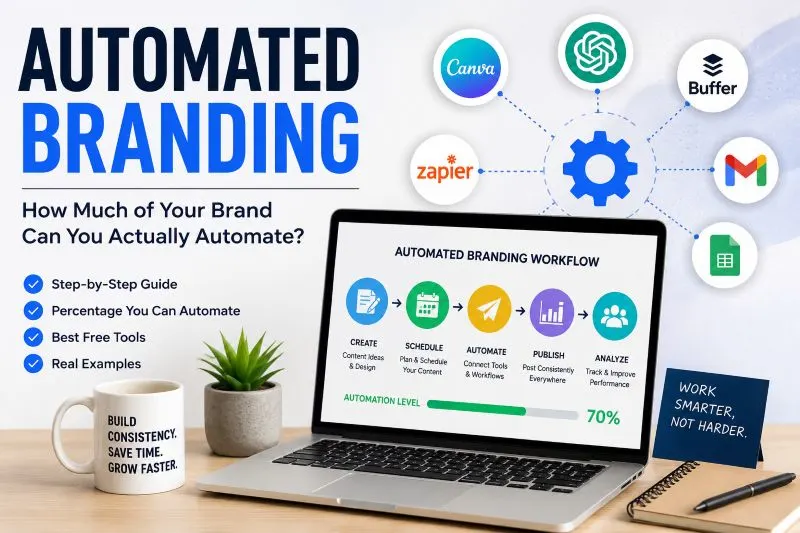
Automated Branding with Free Tools: A Step-by-Step Guide Anyone Can Follow
Quick Navigation 1. What Does “Automated Branding” Actually Mean? 2. How Much of Branding Can Actually Be Automated? 3. Step-by-Step: How to Build Your Brand Using Free Tools Step 1: Define Your Brand Identity Step 2: Generate Your Logo Step 3: Lock In Your Colors and Fonts Step 4: Create Your Visual Templates Step 5: Automate Your Social Posting Step 6: Set Up Your Brand Writing Tone Step 7: Automate Blog Posting to Your Website 4. Real-World Example 5. The Mistakes Most People Make When Automating Their Brand 6. The Bottom Line Automated Branding: Can You Really Build a Brand with Automation? Most people think branding is something only big companies with design teams and marketing budgets can pull off properly. But here’s what’s changed: a huge chunk of the branding process can now be automated, and you don’t need to pay anyone to do it. Automated branding isn’t about removing the human touch entirely. It’s about letting tools handle the repetitive, time-consuming parts so you can focus on the decisions that actually matter. So what can realistically be automated? And what free tools actually work? Let’s get into it. What Does “Automated Branding” Actually Mean? When people hear “branding,” they usually think of a logo. But branding is so much more than that. It’s your color palette, your fonts, how your social posts look, the tone of your copy, how consistent your visuals are across platforms. Automating all of that used to require a team. Now it doesn’t. The idea behind automated branding is simple: you define your brand identity once, feed it into tools, and those tools handle the execution. Logo generation, social media templates, color consistency, font pairings, even writing tone. A lot of that can run on its own once you’ve set it up. The key word is “set it up.” You still need to make decisions. But you only make them once. How Much of Branding Can Actually Be Automated? Here’s an honest breakdown. Not everything can be automated, and you should know the difference before you start. What can be automated (roughly 70-80% of the work): Logo design and icon generation Color palette creation and consistency Font pairing and typography suggestions Social media post templates and sizing Basic brand guideline documents Scheduling and posting branded content Writing tone and style suggestions Simple ad copy and taglines What still needs a human (the remaining 20-30%): Strategic brand positioning (who are you for and why?) Major design decisions and approvals Brand voice refinement over time Crisis or reputation-related decisions Content that requires real storytelling or emotion If you’re just starting out, that 70-80% automation number is genuinely useful. It means you can have a complete, consistent-looking brand without spending hundreds of dollars or weeks figuring it out. Step-by-Step: How to Build Your Brand Using Free Tools Let’s walk through this practically. You’re a solo founder, freelancer, or small business owner. You want to look professional without hiring a branding agency. Here’s how you do it. Step 1: Define Your Brand Identity (30 Minutes, No Tools Needed) Before you touch any software, write down answers to these three questions: Who is your audience and what do they care about? What feeling should your brand give off? (trustworthy, bold, playful, minimal?) What makes you different from others in your space? Write this in plain sentences. This becomes your brief for every tool you use. Step 2: Generate Your Logo Free tool: Looka (free preview), Canva (free tier), or Adobe Express (free tier) Go to Canva or Adobe Express and use their logo maker. Type in your brand name, pick your industry, choose a style that matches what you wrote in Step 1. You’ll get several logo options within minutes. Pick one that fits, download it, and move on. Don’t spend hours on this. If you want more variety, Looka shows you previews for free before you pay. Some people use those previews as starting-point inspiration and then recreate the idea in Canva. Step 3: Lock In Your Colors and Fonts Free tool: Coolors.co and Google Fonts Go to coolors.co and generate a palette. You can lock a color you like and keep regenerating until the rest of the palette looks right. Pick 3 to 4 colors: one main, one accent, one neutral, and optionally a dark or light contrast color. For fonts, go to Google Fonts and pick two that work together. One for headings, one for body text. A common starting point is pairing a serif with a clean sans-serif. Fonts like Inter, Lato, or Montserrat pair well with most brand styles. Write down your hex codes and font names. You’ll use them everywhere. Step 4: Create Your Visual Templates Free tool: Canva (free tier) This is where the automation really starts. In Canva: Create a brand kit (free tier gives you limited access, paid gives more) Design one template for each platform: Instagram post, LinkedIn post, Facebook cover, email header Save them as templates so every future post uses the same colors, fonts, and layout Once you’ve built these once, creating new content takes minutes, not hours. The visual consistency across everything you publish is what makes a brand look real and established. Step 5: Automate Your Social Posting Free tool: Buffer (free plan) or Later (free plan) Connect your social accounts to Buffer or Later. Schedule your branded posts in batches. You sit down once a week, load in your content, and the tool posts it for you automatically at the right times. This is huge for consistency, which is one of the most important things in branding. Showing up regularly with a consistent look is more powerful than showing up perfectly once. Step 6: Set Up Your Brand Writing Tone Free tool: ChatGPT (free tier) or Claude (free tier) Write a short paragraph describing your brand voice. Something like: “We’re a casual, helpful brand for small business owners. We avoid jargon. We’re direct but warm.” Paste that into your AI writing tool as
What If the Internet Shut Down for One Day?
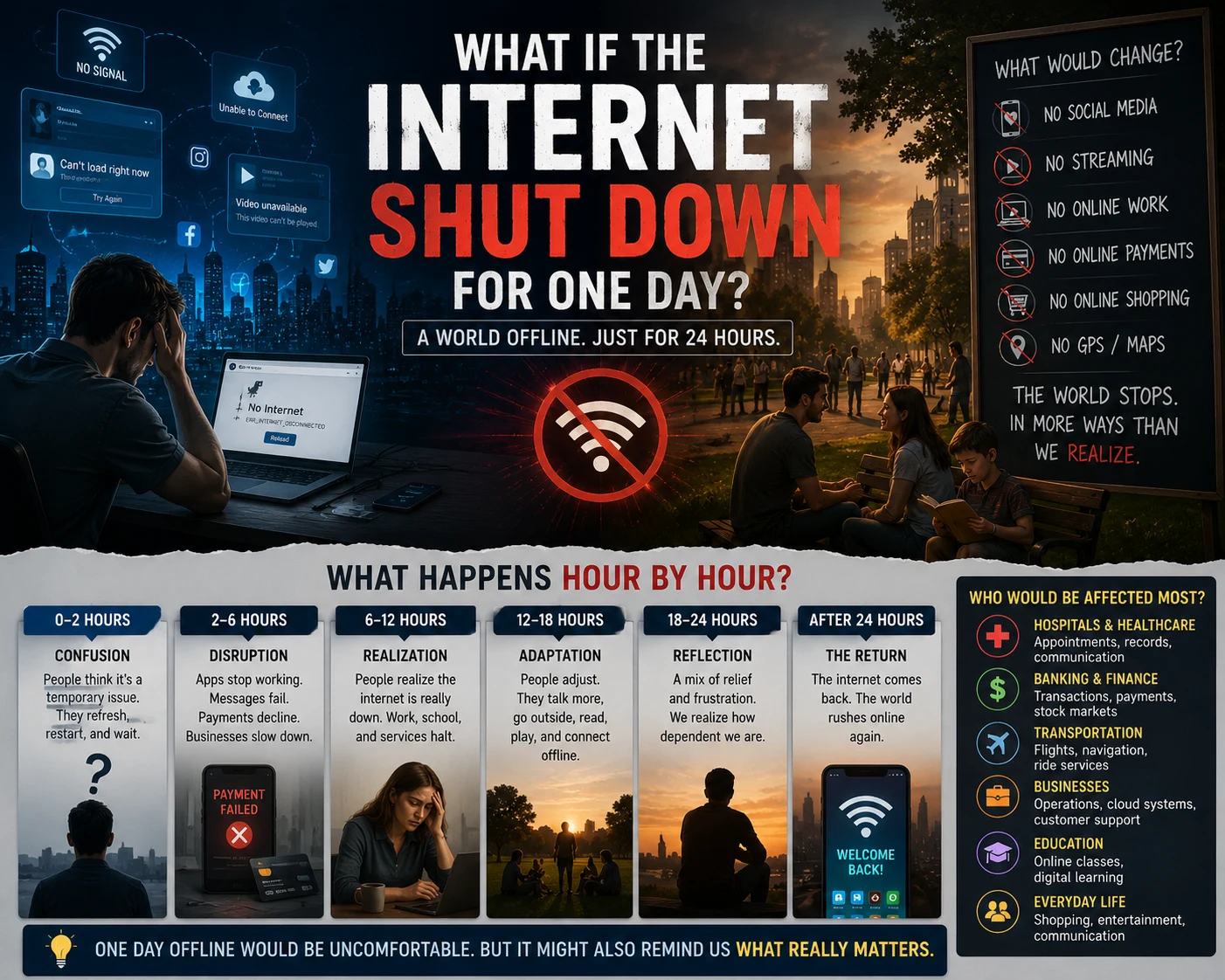
Picture this. You wake up tomorrow and your phone just shows a spinning circle. Wi-Fi is on, bars are full, but nothing loads. You try a different app. Nothing. You check the news on your laptop. Nothing loads there either. At first, it feels like an outage. You restart the router. You restart your phone. Then your neighbor knocks on your door asking if yours is down too. Then you start to understand. The internet is just… off. The First Hour Would Be Disorienting in Ways You Do Not Expect Most people underestimate how much mental energy they spend on passive internet use throughout a day. Quick checks. Background music. Looking something up mid-conversation. Sending a photo. That first hour without it would feel oddly loud inside your own head. Then the practical problems would start stacking up. Card payments depend on internet connections. ATMs run on networked systems. Your navigation app is gone. If you have a smart home setup, half of it stops responding. That “offline” version of the world you assume exists in the background? It is thinner than most people realize. What Would Actually Break This is where the situation stops being a thought experiment and gets genuinely serious. Hospitals would be under immediate pressure. Modern medical facilities run on connected systems for patient records, lab results, prescription management, and internal communications. Most have backup protocols, but a full global outage would stress those systems hard. Supply chains would freeze within hours. Shipping logistics, port operations, air traffic control communication systems, warehouse inventory management, all of it relies on real-time data flowing across networks. Trucks would still drive, but the coordination that tells them where to go and what to pick up would collapse. Financial markets would halt. Stock exchanges would stop trading. International transfers would fail. Businesses that operate on thin margins and depend on daily cash flow would start feeling it by end of day. According to CloudZero’s research on internet outage costs, a single 24-hour outage in the US alone would result in losses running into the tens of billions of dollars. Even the power grid in many places depends on internet-connected monitoring and load-balancing systems. A full internet shutdown would not automatically cut the lights, but it would make the lights significantly harder to manage. The Human Behavior Part Is Fascinating Here is what would actually be interesting to watch. How people fill the silence. Within a few hours, people would start talking to each other more. Not in a wholesome viral-video way, but out of pure necessity. You need information and there is no other way to get it. So you ask the person next to you. Local radio stations would suddenly become the most important communication channel in most cities. People who own transistor radios would become surprisingly popular. Libraries would fill up. And the weird thing? A lot of people would probably feel a quiet relief mixed in with the stress. That low-grade anxiety of notifications and feeds and news cycles, just gone for a day. Some people would hate it. Others would breathe in a way they have not for years. What Would Not Break (And This Part Matters) A lot of deeply human things are not internet-dependent at all. Books still work. Conversations still work. Board games, card games, cooking from memory, walking somewhere without a map, paying in cash, listening to the radio. Community noticeboards. Libraries. Neighbors. It is almost funny how quickly “what would we do without the internet” turns into a list of things that existed for most of human history and worked just fine. This is not a romanticized argument for going offline. The internet genuinely enables things that were not possible before, including some of the most unexpected ones, like the strangest and most specific online communities people have built around the smallest shared interests. That kind of connection is real and it matters. But a one-day shutdown would be a very sharp reminder of how much infrastructure we have quietly outsourced to a system most of us do not understand and almost none of us could rebuild. The Day After Would Change Things One day of internet shutdown would likely produce more serious conversations about digital infrastructure than a decade of policy papers. Every company that discovered a critical weakness in its backup systems would quietly fix it. Every hospital that realized its offline protocols were outdated would update them. Governments would push for decentralized backup networks with far more urgency. There would also, almost certainly, be a wave of people who decided to deliberately keep some of their reclaimed habits. More phone calls. More physical books. More cash in the wallet. The internet shutting down for one day would not break civilization. It would, however, hold up a mirror and show exactly how dependent on one fragile system most of modern life has quietly become. A Thought Worth Sitting With The internet was never supposed to be critical infrastructure. It started as a research network and became the backbone of nearly everything without any single moment where someone made that choice deliberately. That is worth thinking about more than we do. If your entire morning routine depends on a network you do not control, if your income depends on platforms you do not own, if your social life depends on apps that could disappear, what does your backup look like? One offline day would not kill anyone with a plan. The real question is how many of us have one.
Why Local Digital Marketing Feels Like the Hidden Growth Engine
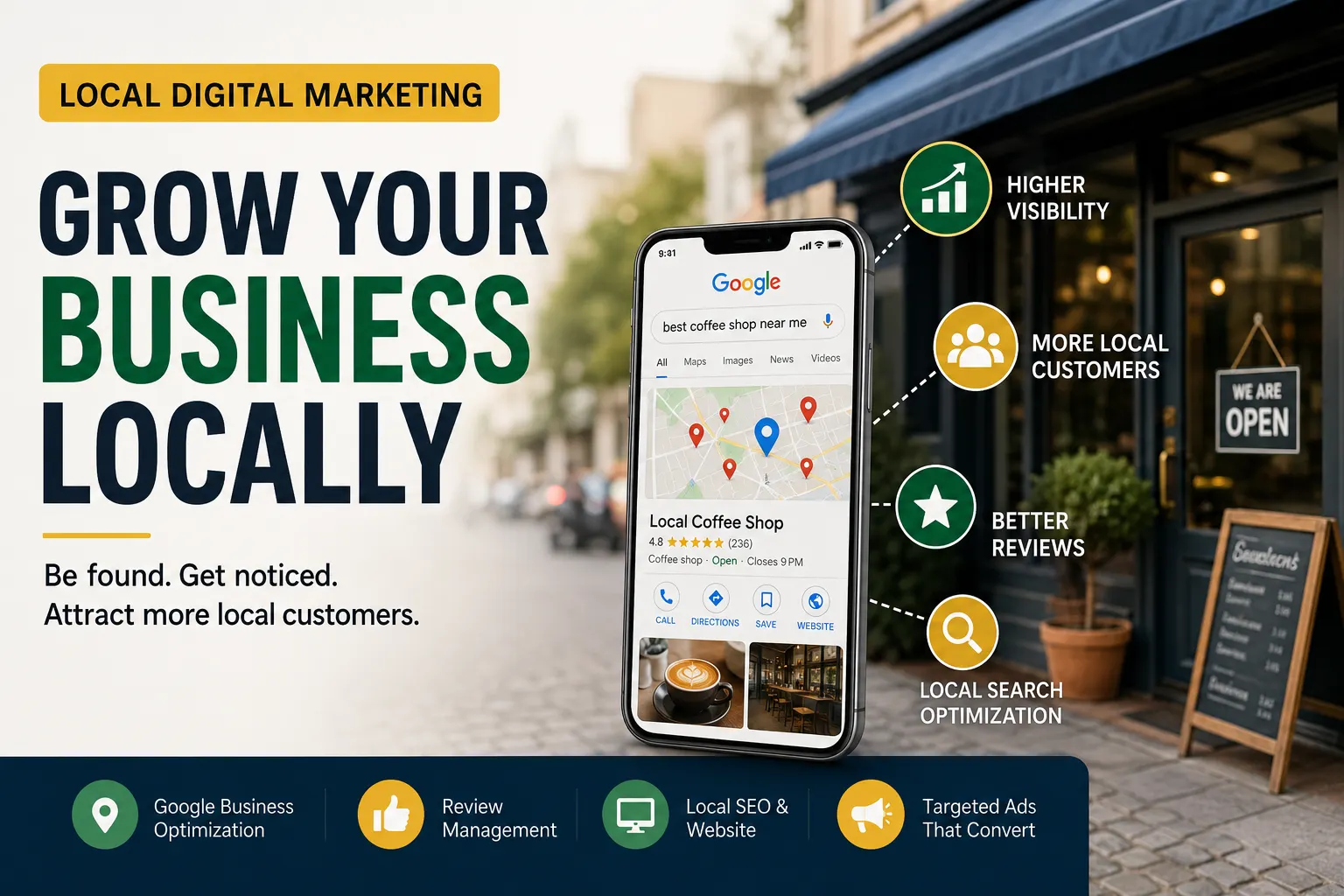
You’ve probably searched for your own business at least once and felt a little sting when a competitor showed up above you. Maybe they had more reviews. Maybe their website looked sharper. Maybe they just seemed more… present online. That moment right there is when most small business owners start seriously thinking about local digital marketing. But then comes the confusion. Agencies are everywhere. Prices vary wildly. Everyone promises results, and half of them seem to be speaking a different language. Where do you even start? What Local Digital Marketing Actually Covers People often think it’s just social media or running a few ads. It’s a lot more than that. Local digital marketing is the combination of strategies that help a business show up, build trust, and attract customers within a specific geographic area. That includes: Google Business Profile optimization Local SEO (getting your website to rank in “near me” searches) Targeted paid ads on Google or Meta Reviews management and reputation building Web design and digital marketing working together to convert visitors into leads That last point is worth slowing down on. A lot of businesses put money into ads or SEO, but their website is doing them no favors. Slow load time, confusing layout, no clear call to action. The traffic shows up and immediately leaves. Your website is part of your marketing, not separate from it. The Pricing Question Nobody Wants to Ask Out Loud Digital marketing agency pricing is one of the most confusing parts of this whole space. You’ll find agencies charging $300 a month and others charging $5,000 for what looks like the same service. So what’s the difference? Sometimes it’s experience and results. Sometimes it’s just overhead and branding. The honest answer is that pricing alone tells you very little. What matters more is what’s included, what’s being tracked, and what happens in the first 90 days. Ask any agency you’re considering these three questions: What does a typical client look like, and what results have they seen? How do you report progress, and how often? What does the first month actually involve? If they can’t answer those clearly, that’s your answer. For small businesses starting out, affordable digital marketing services don’t mean cheap quality if you know what to look for. A smaller boutique agency or even a skilled freelancer who specializes in local markets can outperform a large agency that treats your account like just another ticket in the queue. The Rise of Faceless Digital Marketing Something interesting has been happening over the last couple of years. More service providers, consultants, and even agencies are operating without putting a personal face or brand figure at the front of everything. Faceless digital marketing has become a real approach, especially for businesses that don’t want to depend on one person’s personality or personal brand to carry the whole operation. For clients, this can actually be a good thing. You want systems, not just charisma. A team with documented processes will likely serve you better than someone who is great on camera but inconsistent behind the scenes. That said, trust still matters. Whether you see a face or not, you want to know who you’re working with, how they operate, and who to contact if something goes wrong. Common Mistakes That Cost Business Owners Time and Money Expecting fast results from SEO. Local SEO takes time. If someone promises page one rankings in two weeks, walk away. Running ads before fixing the website. Paid traffic sent to a weak website is just burning money. Get the foundation right first. Hiring based on price alone. The cheapest option usually means less attention, slower communication, and results that plateau early. Not tracking anything. If you don’t know where your leads are coming from, you can’t make smart decisions. Basic tracking should be set up from day one. Treating digital marketing as a one-time fix. It’s an ongoing process. Algorithms change. Competitors catch up. Markets shift. You don’t set it and forget it. How to Actually Choose the Right Help This part is where a lot of business owners get stuck. You’re not a marketing expert, so how do you judge whether someone actually knows what they’re doing? Here’s a simple filter. Look for people or agencies who: Can show you real examples or case studies from similar businesses Talk about strategy before they talk about tactics Ask about your goals and customers before proposing anything Have clear, written deliverables so you know what you’re paying for You don’t need to know everything about digital marketing to make a good decision. You just need to ask the right questions and pay attention to how they respond. One Real Example That Might Sound Familiar A local plumbing company had been running the same ad on Facebook for eight months. They were spending about $600 a month and getting maybe two or three calls from it. A friend recommended they look into local SEO and get their Google Business Profile properly set up. Within four months, they were getting more calls from Google than from the ads, spending less overall, and actually understanding which parts of their marketing were working. The ads weren’t the problem. The strategy was. They were putting money into something that didn’t match how their customers actually searched for plumbers. Local digital marketing works best when it’s built around how your specific customers find and choose businesses like yours. That’s the whole point. If you’ve been putting off figuring this out, you’re not alone. Most small business owners have enough to manage without adding a marketing strategy to the pile. But the longer you wait, the more ground your competitors cover. Start with one thing. Get your Google Business Profile in order. Ask one agency for a consultation. Read one real case study. Small steps forward are still forward.

Q Day Thread Is Right. Here Is What Happens When Encryption Dies
There is a thread floating around online that genuinely made people stop scrolling. Not because it had memes or drama, but because of what it was describing. Someone laid out the concept of Q-Day in plain language, and the replies went from confused to alarmed in about twelve comments flat. If you have stumbled across a q day thread yourself, you probably understand why people react that way. It is one of those topics that sounds like science fiction until you realize it is not. So What Exactly Is Q-Day? Q-Day is the term used for the moment when a quantum computer becomes powerful enough to break the encryption systems that protect pretty much everything digital. We are talking about bank accounts, medical records, government communications, private messages, and more. Right now, those systems are secure because cracking them would take a classical computer millions of years. A quantum computer, operating on entirely different physics, could do it in hours or minutes. NIST, the National Institute of Standards and Technology, describes this as one of the most significant cryptographic challenges of our era. They launched a multi-year competition to develop quantum-resistant encryption and released the first finalized standards in August 2024. The problem is that building the infrastructure to adopt those new standards takes years. Sometimes decades. Why Does a Q Day Thread Go Viral? Because when someone explains this clearly and without jargon, it hits differently. Most people assume encryption just… works. They trust the padlock in their browser. They assume their messages are private. A well-written q day thread breaks that assumption wide open, and it does it fast. The reactions tend to follow a pattern: First comes disbelief (“This sounds like clickbait”) Then comes the “wait, actually?” moment Then comes the slightly unsettled feeling that nobody in a suit on TV has warned them about this One of the most unnerving parts of the whole discussion is what researchers call “harvest now, decrypt later.” According to Fortinet’s security research, threat actors and state-level adversaries may already be collecting encrypted data today with plans to decrypt it once quantum computers are capable enough. Your emails from five years ago. Private financial data. Classified government communication. All potentially sitting in cold storage, waiting. That detail alone is what sends most threads into overdrive. When Could This Actually Happen? This is where the thread debates get heated. Some researchers are cautious. The Global Risk Institute’s Quantum Threat Timeline 2024 found that most specialists expect a cryptographically relevant quantum computer sometime in the 2030s. Even in optimistic forecasts, the chance of it happening within ten years sits below 20 percent, according to Palo Alto Networks’ cybersecurity analysis. Others are less relaxed about it. Google predicted that by 2029, quantum computers could crack some forms of encryption, according to reporting by CyberScoop. And in early 2026, three research papers published in quick succession dramatically reduced the estimated quantum resources needed to break RSA encryption, as reported by The Quantum Insider. What was once thought to require 20 million qubits might now require fewer than one million. That shift is not a small footnote. It changed how the security community is reading the timeline. The Part No One Wants to Talk About There is a detail buried in most serious discussions of Q-Day that gets skipped in casual threads. When a nation or organization achieves cryptographically relevant quantum computing, they will almost certainly not announce it. The Quantum Threat Timeline Report put it bluntly: the real Q-Day may arrive without warning, as states or bad actors seek to exploit the advantage strategically before anyone realizes what happened. Think about that for a second. This is not like a product launch. There is no press conference. No press release. The day your encryption breaks might look exactly like every other Tuesday, at least for a while. That is the part that tends to sober up even the most skeptical people in any q day thread. What Is Actually Being Done About It? Quite a bit, honestly. And this is where threads usually shift from panic to something more practical. Post-Quantum Cryptography (PQC) is the leading response. NIST finalized three core algorithms in 2024: ML-KEM (FIPS 203) ML-DSA (FIPS 204) SLH-DSA (FIPS 205) A fifth algorithm, HQC, was added in March 2025 as a backup approach. Companies like Google and Cloudflare are already pushing for faster adoption, and the White House has recommended 2035 as a target year for entities to complete their migration to post-quantum cryptography, according to CNN’s reporting. Quantum Key Distribution (QKD) is another method, using the laws of physics rather than mathematical complexity to secure communications. It requires specialized hardware and is harder to deploy at scale, but it is being actively developed. The challenge is not inventing the solution. The solutions exist. The challenge is deploying them fast enough across millions of systems, many of which were built decades ago and were never designed to be easily updated. What Should Regular People Actually Do? Here is where the online discourse gets a little messy. Some threads veer into doomsday territory. Others wave it off entirely. The honest answer sits somewhere in the middle. For most individuals, the immediate action is awareness, not panic. But there are a few practical things worth thinking about: Ask your software providers if they have a quantum readiness roadmap. Larger banks, cloud services, and communication platforms should already be working on this. Be cautious about long-term sensitive data. Anything you send today that needs to stay private for 10 or more years is theoretically at risk from harvest-now-decrypt-later attacks. Pay attention to the standards conversation. When browsers and operating systems start rolling out PQC by default, update. Do not delay software updates. IBM’s 2025 quantum-safe readiness report found that the global average quantum readiness score sits at only 25 out of 100. That means most of the world is not ready. Whether that changes before Q-Day arrives is genuinely unclear. It Is Worth Paying
The First Website Ever Created Still Exists
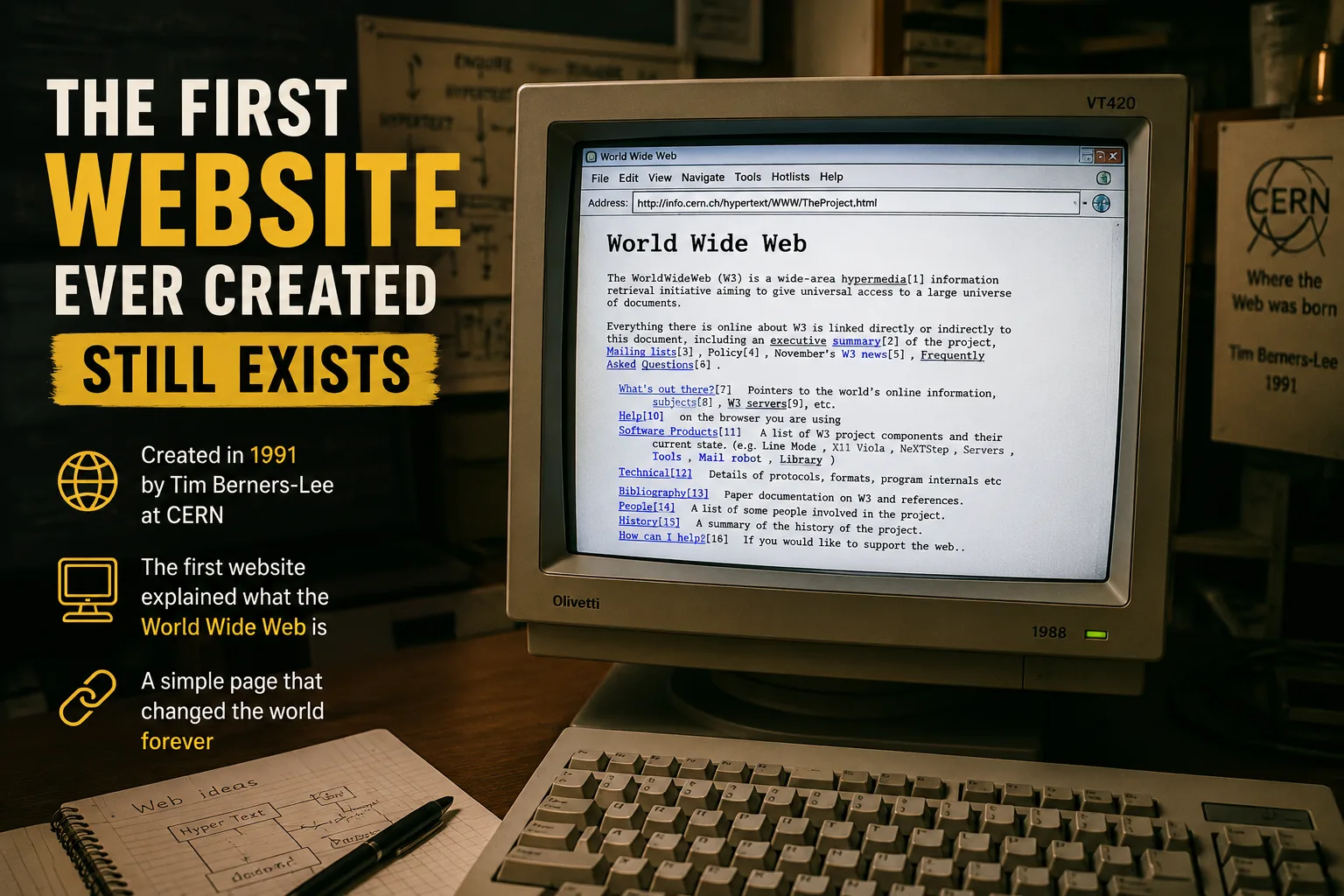
Most people assume the early internet is just gone. Buried under decades of redesigns, dead links, and abandoned servers. But here is something that might actually surprise you: the first website ever created is still online today, sitting quietly at the same address it has always had. No nostalgia filter. No museum replica. The real thing. So what is it, how did it get there, and why does it matter that it survived? What Was the First Website, Exactly? The first website ever created went live on August 6, 1991. It was built by Tim Berners-Lee, a British scientist working at CERN, the particle physics laboratory in Switzerland. The site was not built to sell anything, entertain anyone, or go viral. It was purely informational. Its entire purpose was to explain what the World Wide Web was and how people could use it. You can still visit it today at: info.cern.ch/hypertext/WWW/TheProject.html And when you do, do not expect much. It is plain text with blue hyperlinks on a white background. No images. No navigation menu. No logo. Just words and links, which is honestly the most honest version of what a webpage can be. Why Did Anyone Bother Keeping It? This is the part people rarely ask. Servers get replaced. Domains expire. Companies fold. Yet this page has stayed up for over thirty years. CERN made a deliberate decision in 2013 to restore and preserve the original site at its original URL. They called it the World Wide Web project, and part of the goal was to give people a fixed point in history they could actually visit. Think about that for a second. Most of us cannot visit the first McDonald’s or the first Apple store in its original form. But you can visit the first website. Right now. In your browser. For free. That is genuinely unusual in the way that human history works. What the Page Actually Says The original content is surprisingly readable. It explains the concept of hypertext, describes how to set up a web server, and lists the goals Berners-Lee had in mind for the web. Some highlights from the page that still hold up: It refers to the web as “a wide-area hypermedia information retrieval initiative” It explains that the web allows users to “browse” information stored on remote machines It includes links to technical documentation written for scientists, not regular users What strikes most people when they visit is how humble it is. There was no announcement. No countdown. No press release. One day the web existed, and this page was how you found out. You can also explore modern web creation on our web development page. The Web Was Supposed to Be Different Here is something worth sitting with. Berners-Lee did not patent the web. He gave it away. CERN released the underlying web technology into the public domain in 1993. No licensing fees. No royalties. No corporate ownership. Anyone could build on it. That decision is a huge reason the web grew so fast. And it is also why a physics lab in Switzerland ended up accidentally creating the foundation for social media, e-commerce, streaming, and whatever the internet has become today. The first website is a reminder of what the original intention was: open, free, and built for sharing information. Whether we stuck to that vision is a different conversation. Visiting It Today Feels Weirdly Moving There is something about loading that page that hits differently once you know what you are looking at. No ads. No popups. No cookie banners. Just text and links, the way Tim Berners-Lee intended it. People sometimes describe visiting it the way you might feel standing in an old building, knowing what happened there. Except in this case, what happened there changed how almost every person on earth communicates, learns, shops, and argues. If you have never been, go. It will take you about forty-five seconds to read the whole thing. And for those reasons, the first website ever created is worth more than a Wikipedia entry. It is worth actually visiting.
What After AI? The Next Big Shift You Should Be Thinking About
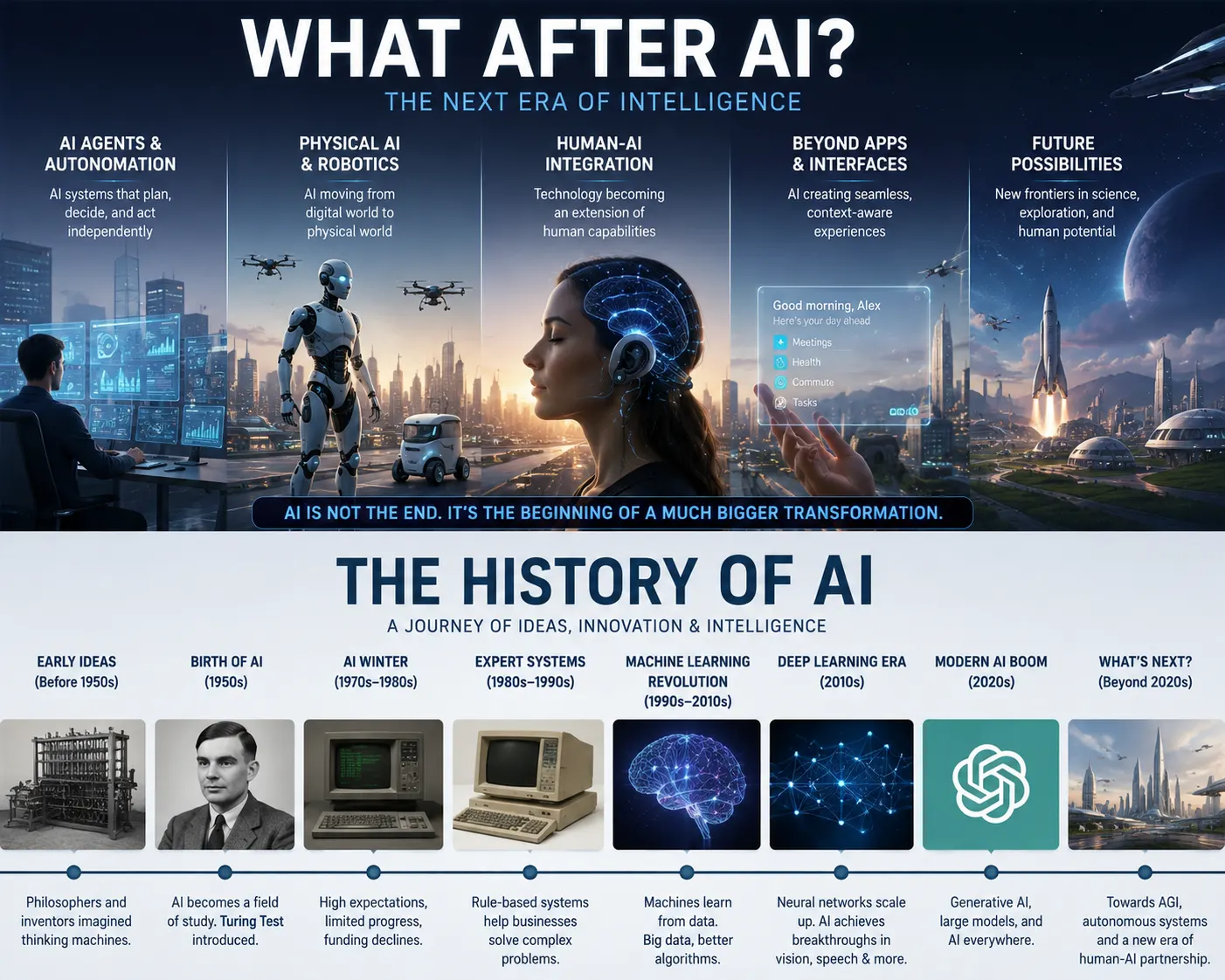
We are all deep in the AI conversation right now. New tools, new models, new fears, new excitement. But here is a thought that does not get enough space: what happens after AI? Not after AI fails. Not after we get bored of it. But after it becomes so woven into daily life that we stop thinking of it as technology and just call it Tuesday. That is actually the more interesting question. When a Technology Disappears Into the Background Think about electricity. At some point, people were stunned by it. There were articles, debates, fears about what it would do to jobs and society. Then one day, nobody thought about electricity anymore. It was just there. You flipped a switch. AI is heading somewhere similar, at least partially. The part of AI that helps you write emails, summarize documents, or recommend a playlist, that part will become invisible. It will be baked into every product, every interface, every workflow. People will stop noticing it. If you want to understand why that shift feels so sudden, it helps to look at the full history of AI and see just how long this has been building. But what fills the space that used to be taken up by figuring out how to use AI? The Human Skills That Start Mattering More Here is where it gets interesting. When AI handles the routine, the mechanical, the repetitive, the stuff that genuinely rises to the top is the stuff AI cannot fake very well. Things like: Genuine judgment in situations where the stakes are real and the context is messy Trust-building between people, which still requires human presence Creative leaps that come from lived experience, not pattern matching Emotional intelligence in moments that need actual empathy, not simulated empathy None of that is new. But after AI, those skills become the differentiator in a way they have not been before. If your value is in doing fast, repetitive, predictable work, AI will compete with you directly. If your value is in navigating complexity, building relationships, and making calls in genuinely uncertain situations, you actually get more valuable as AI spreads. New Problems That AI Will Create (and That Need Solving) Every major technology shift creates a new layer of problems. The internet gave us spam, misinformation, and digital addiction. Smartphones gave us distraction at scale, privacy erosion, and a whole new mental health conversation. After AI settles in, the new problems are probably going to look something like this: Trust and verification. When AI can write, speak, and generate video convincingly, how do you know what is real? This is already a question, but it becomes a much louder one. There will be entire industries built around proving authenticity. Meaning and purpose. This one sounds abstract, but it is not. If AI can produce a poem, a song, a business plan in seconds, what does it mean to make something? People are going to wrestle with this. Some already are. Access and inequality. AI tools are not equally distributed. The gap between people who can use them well and people who cannot will create real-world consequences in hiring, education, and economic opportunity. These are not reasons to fear what after AI looks like. They are just honest problems that come with progress. A World That Thinks Differently There is a slightly bigger shift worth sitting with. AI is changing how people think, not just what they do. When you know a tool can generate ten options in seconds, you start to think differently about exploration and iteration. When summarization is instant, you start to consume information differently. When answers come fast, your tolerance for sitting with uncertainty gets shorter. After AI becomes normal, there is going to be a cultural reckoning with attention, depth, and patience. Some people will push back hard and treat slow, careful thinking as a premium skill. Others will lean fully into speed and volume. Both of those things will coexist, and honestly, that tension is going to produce some interesting art, philosophy, and policy debates. What This Means for You Right Now You do not have to wait for some post-AI future to start thinking about this. The positioning starts now. What are you building, practicing, or getting known for that goes beyond what a model can replicate? That is worth real thought. Not in a panicked way. More like the way you would think about any career or creative investment. The people who do well after AI will not necessarily be the ones who used AI the most. They will be the ones who understood what it was for and what it was not for, and built their life around the parts that stayed human. What do you think comes next? Not in a tech sense, but in a human sense. That might be the more useful conversation to have right now.