Ever landed on a business website and instantly felt like, “okay, this is legit”… or the exact opposite? That reaction isn’t random. It usually comes down to how that website fits into certain business website classification criteria, even if we don’t consciously think about it that way.
I’ve seen small businesses struggle with this. They build a site, but it feels off, like it’s trying to do too many things at once. The truth is, not all business websites are meant to function the same way. Once you understand how they’re classified, things start to click.
Why Website Classification Actually Matters
You might be thinking, does classification really matter that much?
Short answer, yes. It shapes everything, from design to content to how people interact with your business.
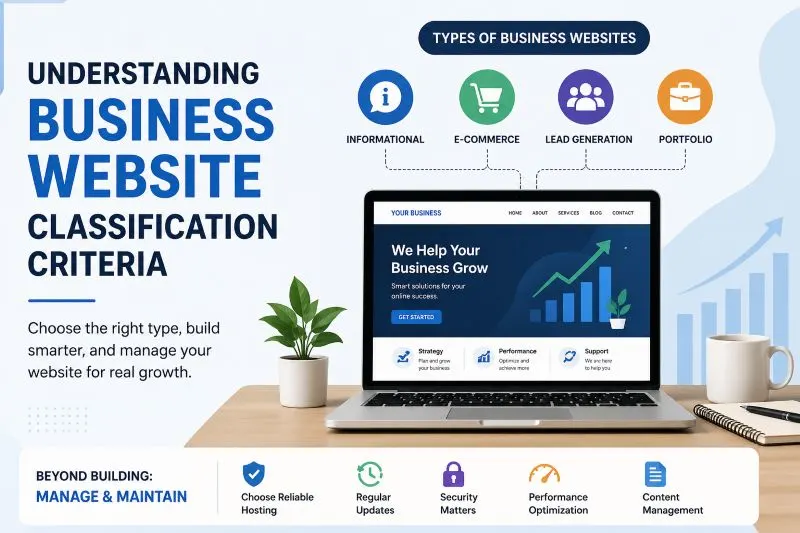
A few common types you’ll notice:
- Informational websites that just explain services
- E-commerce websites focused on selling products
- Lead generation websites built to collect inquiries
- Portfolio websites showing past work
When a business mixes these without clarity, the result is confusion. Visitors don’t know what to do next, and that usually means they leave.
A clear classification gives your website direction. Without it, even a beautiful design can fail.
How Hosting Quietly Influences Your Website Type
This part gets ignored a lot. People treat hosting like a boring technical step, but it actually affects how your website performs within its category.
For example:
- A slow host can ruin an e-commerce experience
- Weak security makes lead generation risky
- Limited resources can break dynamic features
If your site is meant to handle bookings, payments, or user accounts, you need hosting that supports that purpose.
I’ve seen a small clothing store try to run on cheap hosting. The site kept crashing during sales. Customers gave up. That’s not just a technical issue, that’s a classification mismatch.
Choosing Hosting Based on Your Website Type
Instead of picking hosting randomly, match it to your site’s role. So how to pick a hosting.
Ask yourself:
- Is my site mostly static or interactive?
- Will I get heavy traffic or occasional visitors?
- Do I need fast load times for conversions?
For example:
- A simple informational site can run on basic hosting
- An online store needs speed, uptime, and security
- A service business needs reliability for lead capture
This is where business website management starts to feel more practical. It’s not just updating content, it’s making sure the foundation supports your goals.
Local Hosting and Why It Can Matter More Than You Think
If your audience is local, hosting closer to them can actually improve performance.
Take businesses targeting customers in a specific region. A locally optimized setup can mean:
- Faster loading times
- Better user experience
- Slight SEO advantages
It’s not always essential, but in competitive markets, small improvements add up.
Would your customers wait 5 seconds for your site to load? Probably not.
Common Mistakes People Keep Making
This is the part where most frustration comes from.
Here are a few patterns I’ve noticed:
- Trying to turn one website into everything
- Ignoring performance because “it looks good”
- Choosing the cheapest hosting without thinking long term
- Not updating or maintaining the site regularly
That last one is huge. Small business website maintenance often gets neglected, and suddenly the site feels outdated or broken.
Then there’s another group, businesses without websites, still relying only on social media. That might work for a while, but it limits control and credibility.
A Real-Life Scenario You’ve Probably Seen
A local bakery sets up a website.
At first, it’s just a simple page with photos and contact info. That’s fine. It’s an informational site.
Then they add online ordering, then blog posts, then event bookings. Now it’s trying to be three different types of websites at once.
Customers get confused. Orders fail. The site slows down.
The problem isn’t growth. It’s lack of clarity in classification.
So, Where Should You Start?
If your website feels messy or underperforming, don’t jump straight into redesigning it.
Start by asking:
What is this website supposed to do, really?
Once you answer that, everything else becomes easier. Hosting, design, content, even maintenance decisions start aligning naturally.
And honestly, that’s the whole point of understanding business website classification criteria. Not to sound technical, but to make smarter, simpler choices that actually work.
At the end of the day, your website doesn’t need to do everything. It just needs to do the right thing, well.